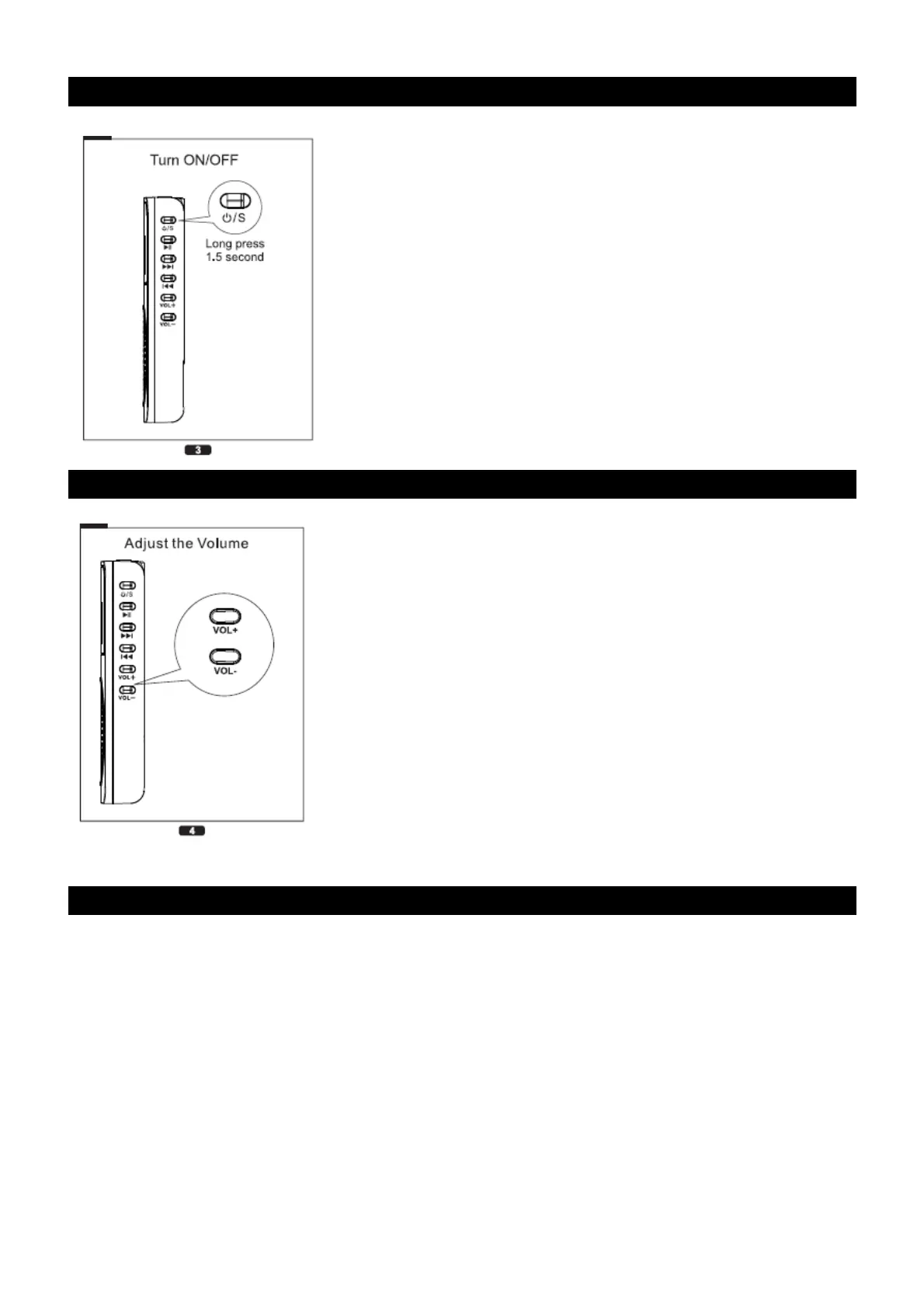
TURNING ON THE UNIT
Press and hold the ON/OFF button for more than 1 second in order to turn on or turn off the unit.
ADJUSTING THE VOLUME
Adjust the Volume by pressing + or – accordingly.
PLAYBACK MUSIC FROM MICRO-SD CARD
1. Insert a Micro-SD card
2. Make sure the Micro-SD card contains MP3 files
3. Press the “Mode” button to select Micro-SD playback option
4. Press the Play button to start playback of the track
5. Press once “Next” to advance to the next track or ”Prev” to go back to the previous track
6. Press and maintain the “Next” button to forward the track or “Prev” to rewind.
7. For direct access to a track, simply press the number of the track as per the picture shown below.


 To Next Page