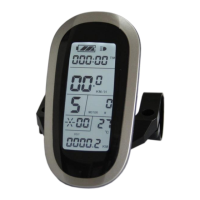
ELECTRIC BICYCLE METER KT—LCD6 Product User Manual
- 10 -
In display 4 or display 5, hold button (SW) shortly again to enter display 3.
In each display interface, if you hold button (SW) long, the meter will be
powered-off together with that of the controller.
○ Display of Turned on Throttle
Rotate the throttle control handle under normal operating of the meter, the display
interface shows the logo of turned-on throttle, see the Figure below.
○ Display of power-assist startup
The meter is driving with power-assist under normal operating conditions, the display
interface flashes the power-assist startup logo (PAS) as shown in the figure.
○ Cadence Display
The meter is driving with power-assist under normal operating conditions, the display


 To Next Page
 Loading...