37
EN
Wi-Fi Mode Activation
WiFi
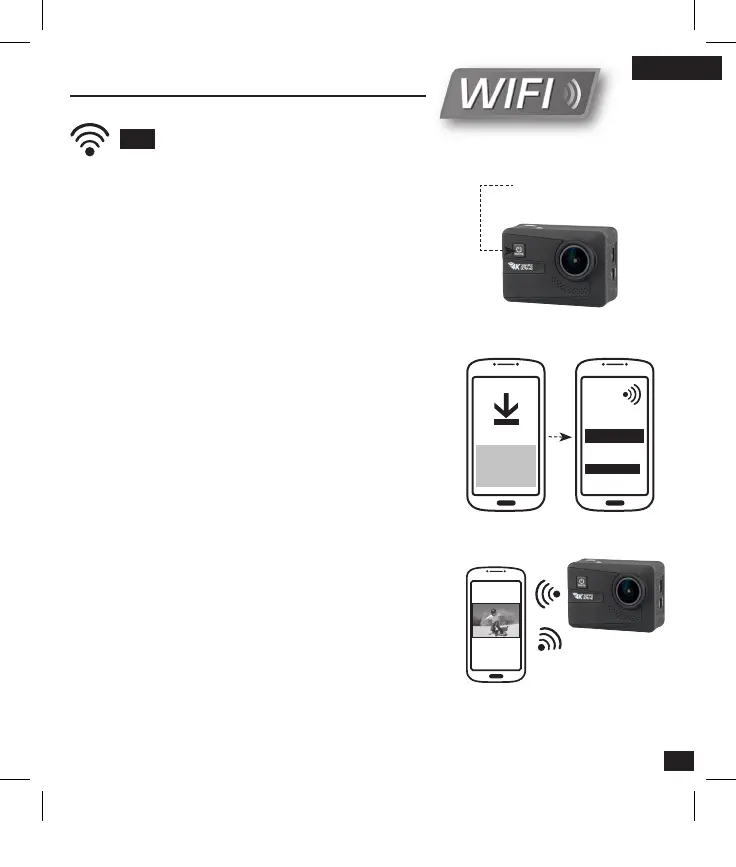
Enable the Wi-Fi :
1 - Press « MODE » to access the list of different setups
and configurations.
2 - Select Wifi in general settings
3 - The device is waiting for a Wi-Fi signal.
Then, to connect your smartphone :
4 - Download application «T’nB Cam 4K» for Android or
iPhone.
5 - Enable the Wi-Fi function of your smartphone or tablet
6 - Open the Wi-Fi preferences of your smartphone,
select the signal with name : «T’nB Cam 4K».
7 - Type the password « 1234567890 » to connect. When
the connection is established, the blue LED status
indicator blinks.
Bravo, you are connected to Wi-Fi at your camera.
From the application, you can now remotely control your
camera and watch live videos and photos !
Activation of
the Wi-Fi mode
WIFI
T’nB Cam 4K
1234567890
Réseau :
Mot de passe :
Note : It is possible to connect to the camera, only one device at a time.
Caution : the Wi-Fi function consumes more battery.
T’nB Cam 4K
Application
_Notice_SPCAM4K.indd 37 11/01/2017 16:30



 To Next Page