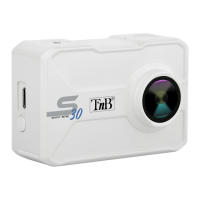
Need help?
Do you have a question about the T'nB SPCAM4K and is the answer not in the manual?
Safety guidelines for device use, covering power, environment, and handling.
Display information for video recording mode, including resolution and capacity.
Display information for photo capture mode, including resolution and memory status.
Display info for slow motion video, showing frame rate and resolution.
Display information for reviewing recorded videos and photos.
Display options for configuring camera settings and preferences.
Initial setup steps: insert memory card, charge battery.
Instructions for powering the camera device on and off.
Introduction to camera features and mode switching.
Settings for video recording: resolution, sound, time lapse, loop, slow motion.
Settings for photo capture: resolution, timed, auto, burst.
General device settings: exposure, white balance, driving mode, light source.
Advanced settings: language, date/time, format, reset, firmware.
Guidelines for handling, storing, and maintaining the camera's battery.
Instructions to maintain waterproof integrity and prevent water damage.
Indicates product conformity to RoHS specifications for restricted substances.
Warning against discarding device with household waste; instructions for recycling.
 General
| Video Resolution | 4K |
|---|---|
| Display | 2-inch LCD |
| Battery Capacity | 900 mAh |
| Field of View | 170° |
| Wi-Fi | Yes |
| Photo Resolution | 12MP |
| Waterproof | 30m |
| Frame Rate | 30 fps at 4K |
| Storage | MicroSD up to 64 GB |

 To Next Page