Luke
®
II Keypad Lighting Installation Guide
T2 Systems, Inc. | T2systems.com
Steps to Take:
1. Turn off power to the pay station.
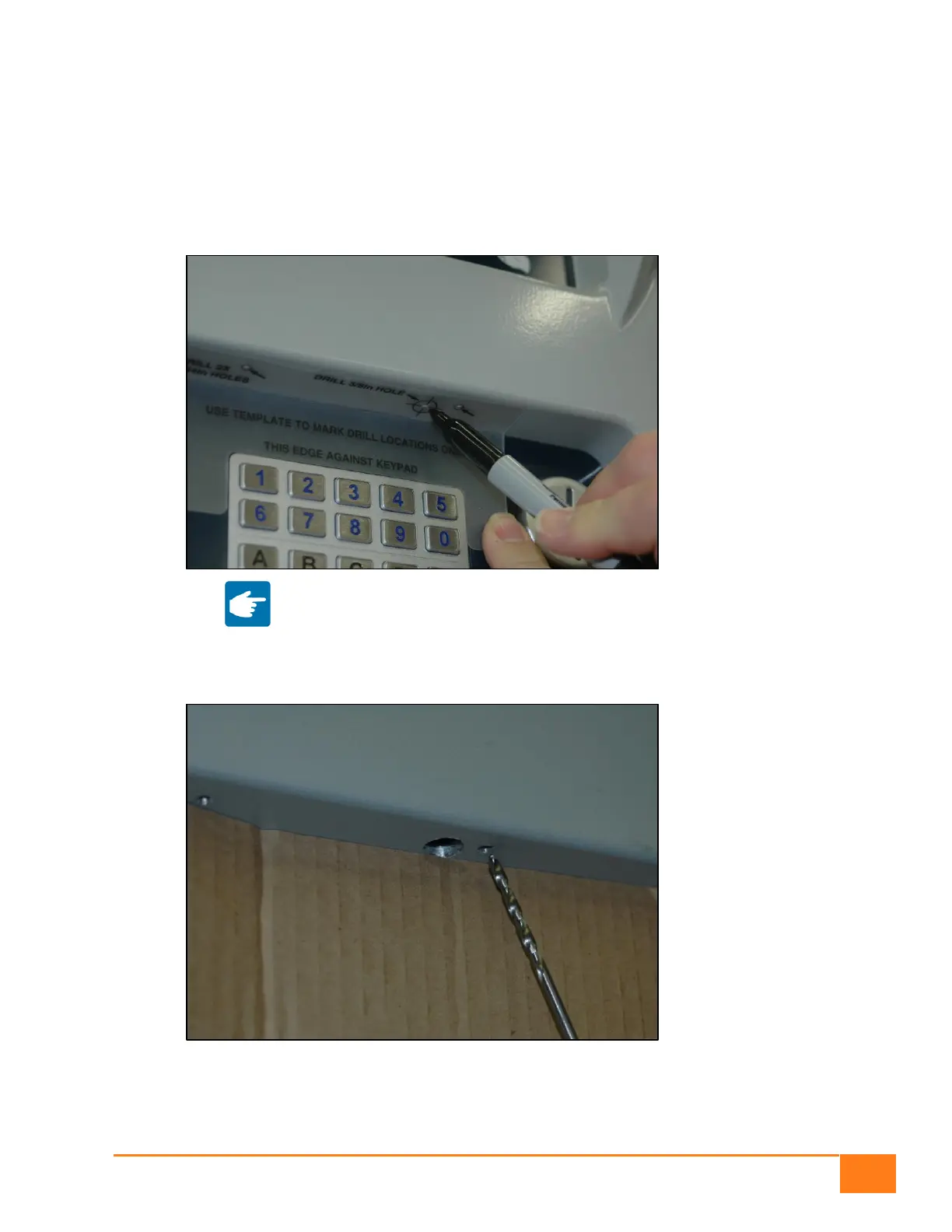
2. On the outside of the door, place the Front Cast drill template around the keypad and mark the
three hole locations to be drilled in the cast above the keypad. Remove the template before
drilling the holes so that it can be re-used for multiple pay stations.
Note: If you have a 12-key keypad, center the template around
the keypad.
3. Place a piece of cardboard against the keypad and hold it in place with masking tape. This will
prevent the keypad and decal from getting scuffed during drilling.
4. Drill two holes into the cast using the drill with the 9/64in bit.
5. Drill one hole into the cast using the drill with the 3/8in bit.


 To Next Page
 Loading...