8
2.Start using
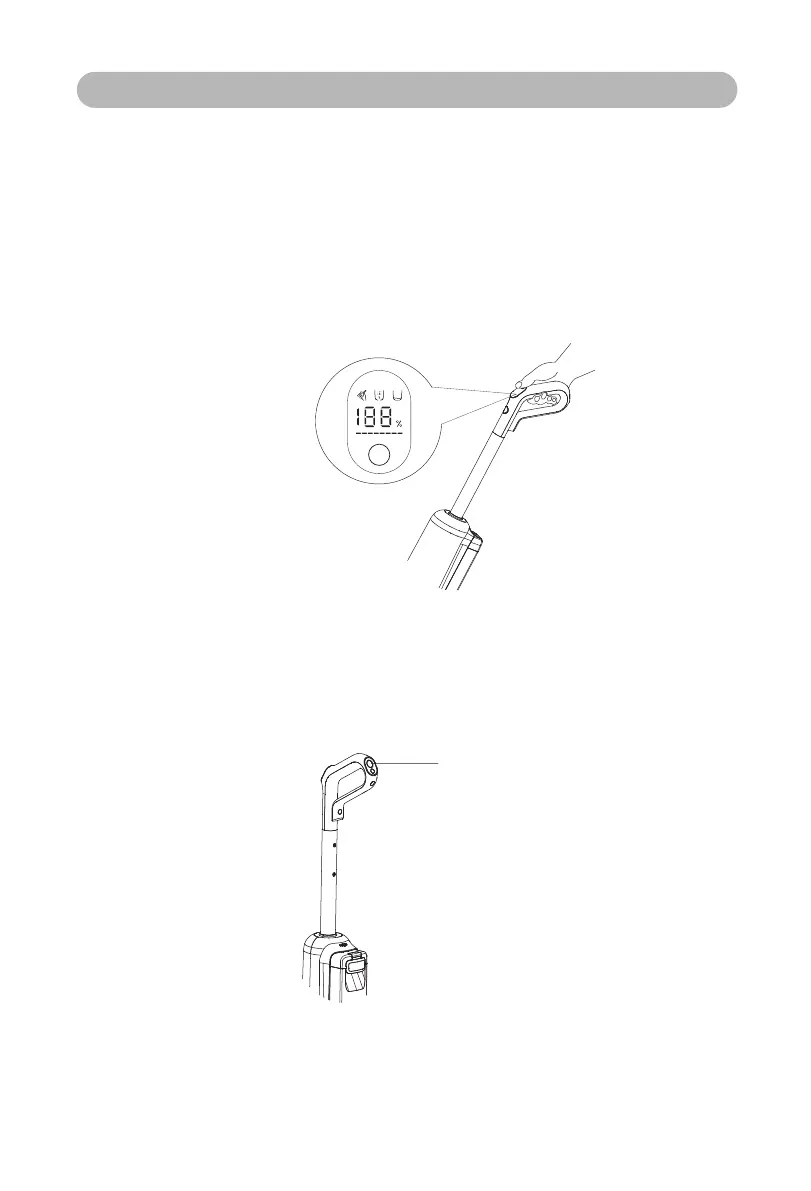
2.1 Step on the upper cover of the floor brush, tilt the machine body to a suitable angle,
press the ON/OFF button and start the floor scrubber. At this time, the center of the
screen displays the current electric quantity and mode, and the power adjustment
indicator belt at the bottom of the screen shows that the machine intelligently adjusts the
power and water quantity according to the dirt.
2.2 Please do not put the machine body flat or dump it to avoid dirty water flowing out.
How to Use
* Tip: Pressing the ON/OFF button in the charging state will not run.
3.Switch mode
Start the smart gear by default, and press the mode button to adjust the mode (smart
mode, quick-drying mode).
4.Stop operation
Press the ON/OFF button during operation, and the floor scrubber will stop operation
and return to standby mode.
Mode button


 To Next Page