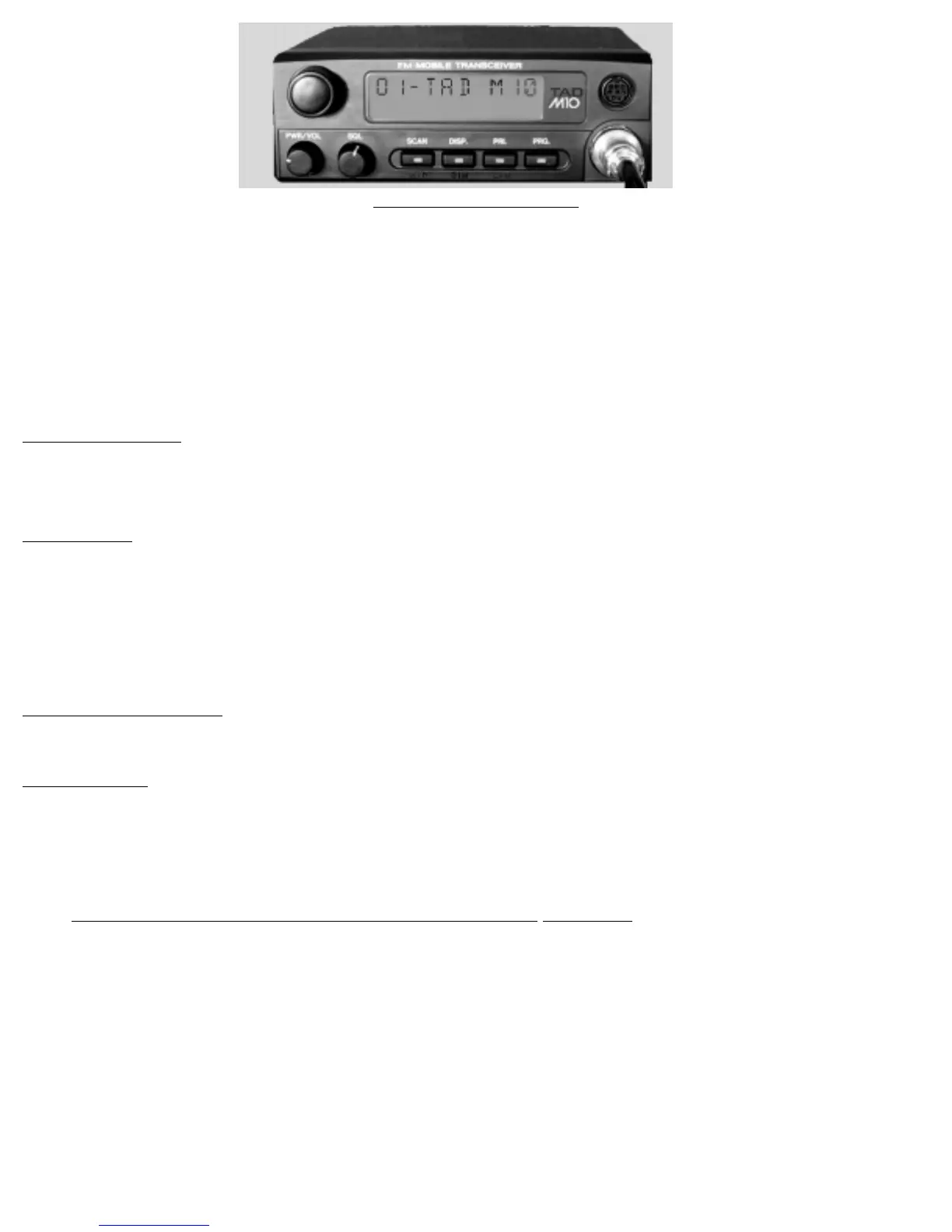
M10 Radio Controls
PWR/VOL- Power and volume control
SQL- Squelch noise control
SCAN - Channel Scan
DISP. - Display control
PRI.- Priority scan
PRG.- User program control
Each of these controls is described in the following section.
PWR/VOL Control
The radio is turned on and off by pushing this control (Push on, push off.) The audio level from the speaker
increases as this control is rotated clockwise.
SQL Control
This controls the receiver silencing circuitry. To correctly utilize this control, first select an unused channel, then
rotate it counterclockwise until noise is heard in the speaker and the “BUSY” indicator shows in the display. Now
rotate the control clockwise until the noise is squelched and the “BUSY” indicator goes out on the display. This is
the most sensitive setting for this control. Rotating this control further clockwise decreases the sensitivity of the
receiver. This is sometimes handy in noisy conditions.
Channel selector knob
Use this control to select a channel.
Panel Buttons
The four front panel buttons perform two functions each. The first one is performed when the button is pressed
and then released after the first “beep”. The second function is performed when the button is pressed and held
in for 2~3 seconds and a second beep is heard.
1 -When the panel button is pressed and released after the first “beep”:
The “SCAN” button toggles the radio in and out of the scan mode. The “SCAN” indicator, on the
display, will be “on” when in the scan mode.
The “DISP” button changes the display from channel number, an alphanumeric name
(up to 7 characters), to frequency, to tone frequency, then back to channel number only.
The “PRI” button toggles the radio in and out of the priority mode. The “PRI” indicator, on the display,
will be on when in the priority mode. The Priority channel may be selected in the “User Programming
Mode.” If no priority channel has been selected a double beep will be heard and the indicator will
not come on.



 To Next Page
 Loading...