Tador Technologies CD-500 Installation guide
General:
The 5 wires encoder unit is an intercom system, serves as door
panel and encoder.
With this unit you can speak with the visitor who is waiting at
the door and open the electric lock from the intercom handset or
from the phone using Tador 5 wires adapter.
Authorized personnel can open the door by pressing
An access code.
By programming appropriately, each user can get an
individual access code.
The device includes an environment resistant and anti
vandal metal keyboard.
An optional bypass pushbutton enables easy internal
opening (the opening time is programmable)
Features:
Easy installation, programming and
operating.
Power failure resistance, keeps the access
codes in nonvolatile memory
up to 98 simultaneously different access
codes
Environmental and anti vandal resistance.
Different and programmable opening time
from keyboard and bypass pushbutton
Up to 1 million possible combination codes
optional bypass exit pushbutton
Specifications:
Operating voltage: AC 12V 800mA Code length: 2-6 keys
Operating electric or magnetic lock. (normally
open or normally close)
Opening time: 1-9 seconds
Color: silver or bronze Size: under plaster195X115X50mm (H*W*D)
On the wall 154X100X35mm (H*W*D)
Installation:
J5 should be set accordingly to the door lock type (3 pins jumper)
Desirable RLY state when entering valid code
Jumper J5
Close circuit (Normally open) for electric lock Jumper on 2 left pins (default state)
Open circuit (Normally close) for magnetic lock Jumper on 2 right pins
After installing the lock in the door frame. Route the following wires to the Intercom Encoder:
1. 2 wires from power supply.
2. 2 wires from the lock.
3. 5 wires from Intercom handset.
4. 2 wires from optional bypass pushbutton.
Using a Phillips screwdriver open the top cover, carefully pull up the panel.
Using a screw driver, expose the 4 covered insulations bores and the round wirings bore.
Attach the base of the Intercom Encoder to the wall, using a pencil mark the 4 fixing points.
Drill the 4 fixing points on the wall.
Route the wires through the round bore in the base of the Intercom Encoder.
Using 4 screws install the base to the wall.
Verify the power supply is not connected to power source!
Connect the wires to the circuit board terminal blocks according to the circuit’s labels, the
attached electrical diagram and the following instructions.
Connect: Power supply to the two 12VAC terminals.
One wire from the lock to the RLY terminal. The second wire from the lock to one of the
12VAC terminal. Short wire from the second 12VAC terminal to the second RLY terminal.
(The RLY functions as a switch)

 Need help?
 General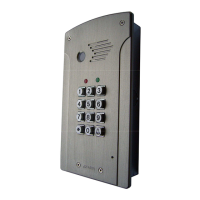

 To Next Page
