The TaKaRa PCR Thermal Cycler Dice™ Touch is a sophisticated instrument designed for Polymerase Chain Reaction (PCR) applications, offering precise temperature control and a user-friendly touch interface. This quick guide provides an overview of its functions, usage, and maintenance features.
Function Description
The primary function of the TaKaRa PCR Thermal Cycler Dice™ Touch is to facilitate PCR, a molecular biology technique used to amplify specific DNA sequences. It achieves this by precisely controlling temperature cycles, which are crucial for the denaturation, annealing, and extension steps of PCR. The device supports various PCR protocols, including standard PCR, gradient PCR, touchdown PCR, and long-range PCR, making it versatile for a wide range of research and diagnostic applications.
The instrument features a "PCR Program Editor" that allows users to configure and customize PCR programs. This includes setting temperatures, reaction times, and the number of cycles for each step. The "PCR File Manager" enables efficient organization and management of PCR run files, allowing users to save, load, edit, copy, paste, and delete program files.
Beyond PCR, the device also offers a "Manual Incubation" mode, which allows it to function as a general-purpose incubator. This mode provides precise temperature control for various laboratory tasks that require a stable temperature environment.
The "Configuration" menu provides access to various system settings, allowing users to customize the unit's operation, manage user accounts, and perform maintenance tasks.
Important Technical Specifications
While specific numerical specifications like temperature ranges, ramp rates, and block capacities are not explicitly detailed in the provided text, several key technical aspects can be inferred:
- Temperature Control: The device offers precise temperature control for PCR and incubation. It supports a top heater with a temperature range of 60°C to 115°C (default 105°C) and a block temperature control for various PCR steps.
- Gradient Functionality: The instrument features a programmable gradient function, allowing for a temperature difference of 0~25°C across the block width (12 wells). This is crucial for optimizing annealing temperatures in PCR.
- Ramp Rate Control: The device allows for custom ramp rate settings, with a limit of 0.1~2.5°C/sec, indicating fine control over heating and cooling speeds.
- Reaction Volume: The default reaction volume is 50µL, with a recommended liquid volume for predicted temperature calculations being 10~50µL.
- User Interface: A touch panel interface facilitates program input and system operation. The device can be operated using a stylus (optional).
- Data Storage and Transfer: Program files (.t3p extension) and run reports (.txt extension) can be saved and managed. The device supports USB memory for data backup and transfer.
- Software and Firmware: The system includes controller software (e.g., version 2.0.1a) and firmware (e.g., revision 1.42), with updates available from the manufacturer's website.
- Safety Features: The device includes an audible alarm for run completion and an auto-resume function after power outages.
- Accessories: The manual lists various 0.2 ml tubes and plates (single, 8-tube strips, 96-well plates) and their corresponding caps, indicating compatibility with standard PCR consumables.
Usage Features
The TaKaRa PCR Thermal Cycler Dice™ Touch is designed for intuitive operation, guided by its touch-screen interface and a structured menu system.
- User Account Management: Users can create, edit, and delete individual user accounts, allowing for personalized settings and secure access to saved programs and run history. This feature enables multiple users to share the device while maintaining their own profiles.
- Program Creation and Editing:
- PCR Program Editor: Users can create new PCR programs from scratch or modify existing ones. The "Wizard" icon simplifies program setup, allowing users to define denaturation, annealing (with gradient options), extension, and post-cycling hold steps.
- Temperature and Time Input: Temperatures, reaction times, and cycle numbers are entered via a numeric keypad that appears when a column is selected.
- Event Addition: New steps (Hold, Pause, Cycling, Ramp) can be inserted within a program or added to the beginning or end of a profile.
- Advanced Options: Features like "Touchdown" (for preventing non-specific amplification) and "Long Range" (for amplifying long DNA fragments) PCR protocols are supported through specific checkboxes and settings.
- Top Heater Control: The top heater can be enabled or disabled, and its temperature can be set (60-115°C) to prevent sample evaporation.
- Program Loading and Execution:
- PCR File Manager: Programs can be loaded from user accounts or USB drives. The file manager displays program specifications before loading.
- Run Confirmation: Before starting a run, a "Confirm Run" screen displays the program details, allowing users to verify settings.
- Real-time Monitoring: During a run, the device displays a "Thermal Profile" showing real-time block and lid temperatures, as well as elapsed and estimated completion times.
- Manual Incubation: The "Manual Incubation" mode allows users to set a target temperature and a timed hold duration, effectively turning the cycler into an incubator. It also supports top heater control and gradient settings in this mode.
- Run History: The "History" feature logs recently run programs, including the program name, date of run, and result (e.g., "Completed" or "Aborted"), providing a record of past experiments.
- Run Reports: The "PostRunReport" folder stores run reports, which contain detailed information about each experiment. These reports can be viewed on the device and potentially exported via USB.
Maintenance Features
The manual highlights several features related to the maintenance and calibration of the TaKaRa PCR Thermal Cycler Dice™ Touch, ensuring its long-term accuracy and performance.
- System Information: The "System Information" menu provides crucial details about the unit, including its serial number, controller software version, and firmware revision. This information is vital for troubleshooting and software updates.
- Machine Settings: This section allows for various adjustments to the instrument's operational parameters:
- Audible Alarm: Users can enable an audible alarm to signal the completion of a run.
- Predicted Liquid Temperature: This feature, when enabled, uses predicted liquid temperatures to effectively increase hold times and total run time, which is particularly useful for liquid volumes between 10-50µL.
- Accelerated Thermal Equilibration: This option optimizes block overshoot and undershoot control to accelerate thermal equilibration, especially for reaction volumes of 20-30µL.
- Auto Resume Run After Power Outage: This critical feature ensures that a run automatically resumes after a power interruption, preventing loss of experimental data.
- Global Rate Limit Heating/Cooling Rates: Users can set global limits for heating and cooling rates, with a range of 0.1-2.5°C/sec.
- Top Heater Settings: This allows for the enabling/disabling of the top heater and setting its temperature.
- Thermal Calibration: The device is factory calibrated, and user recalibration is generally not required. However, the "Thermal Calibration" wizard allows for checking "Ramp Rates" (Max Cool/Heat Deg/S) and resetting them if necessary, indicating a mechanism for verifying and potentially restoring temperature performance.
- Software Update: The "Software Update" feature allows users to upgrade the operating software by inserting a USB stick with the upgrade file. This ensures the device remains up-to-date with the latest functionalities and bug fixes.
- Backup Internal Memory: The device supports backing up internal memory to a USB drive, including all run files and user information. This is crucial for data integrity and transferring settings to another machine. Conversely, backups can also be imported from a USB drive.
- Touchpanel Calibration: The "Touchpanel Calibration" wizard allows users to recalibrate the touch-screen interface if its accuracy has degraded, ensuring responsive and accurate input.
- System Diagnostics: While not explicitly detailed, the presence of a "System Diagnostics" option suggests that the device has internal tools for identifying and reporting potential issues, aiding in troubleshooting.

 Need help?
 General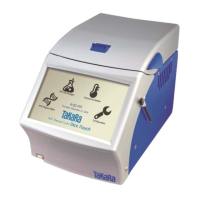

 To Next Page

