Need help?
Do you have a question about the TakeMS deejay and is the answer not in the manual?
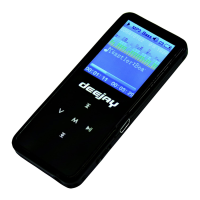
Description of the player's physical buttons, screen, and interfaces.
Instructions for turning the device on and off, including automatic shutdown.
Details on the device's battery status and charging.
How to navigate the main menu and submenus using buttons.
Explanation of button functions like play, pause, volume, and navigation.
How to use the A-B repeat function for music playback.
Steps to convert video files to MTV or AVI format for playback.
Operations for FM radio, including scanning, saving, and recording.
How to view and manage JPG and BMP image files.
How to view and manage TXT e-book files.
Instructions for using the device's recording function.
How to play recorded voice files or FM recordings.
Accessing and using the device's setup options.
Essential safety instructions for operating the MP3 player.
Steps and considerations for connecting the player to a PC for data transfer.
Solutions for problems like the player not starting or poor FM reception.
Information on proper disposal of the electronic device.
 General
| Brand | TakeMS |
|---|---|
| Model | deejay |
| Category | MP3 Player |
| Language | English |

 To Next Page