EasyManua.ls Logo

TakeMS Blade - User Manual

TakeMS Blade
22 pages
Print Icon
To Next Page IconTo Next Page
Loading...
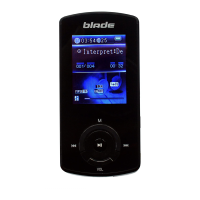
MP3-Player „blade“
User Guide
English
Page 1

Questions and Answers

Summary

Getting Started: Before Using

Connecting to PC for File Transfer

Steps to connect the player to a PC via USB for downloading audio files.

Safely Removing Player from PC

Procedure for safely disconnecting the player from a computer to prevent data loss.

Charging the Battery

Device Overview and Basic Functions

Power On;Off

Instructions for turning the MP3 player on and off using the power switch and play key.

Basic Operation Guide

Playing Music

Enter Music Mode

Steps to access the music player mode from the main menu.

Folder Navigation

How to browse and select music files within folders on the player.

Play Settings

Adjusting music playback options like Repeat mode, Equalizer, and 3D sound.

File Management and Voice Recording

Voice Recording

How to initiate, pause, and save voice recordings using the device.

FM Radio Operations

Convert and Play Video Files

Troubleshooting

Technical Specifications

TakeMS Blade Specifications

General IconGeneral
Capacity1GB, 2GB, 4GB
Battery TypeRechargeable Lithium Battery
Battery LifeUp to 8 hours
LCD Display1.8-inch LCD screen
Video FormatMTV
Earphone Power5mW+5mW
Audio FormatMP3, WMA
Record FormatWAV (Normal: 64kbps/16kHz, High: 128kbps/32KHz; long time: 32kbps/8KHz)
SNR80dB
Photo FormatJPEG, BMP
Image Resolution3520 X 2816 (max.)
Bit RateMP3: 8-320kbps; WMA: 5-320kbps
USB PortUSB2.0
Operating Temperature0℃ ~ +55℃
Storage Temperature-20℃ ~ +55℃
Operational Relative Humidity20% ~ 90% (40℃)
Storage Relative Humidity20% ~ 93% (40℃)
Weight and Dimensions IconWeight and Dimensions
Dimensions90mm x 40.5mm x 10.5mm
Weight52g

Related product manuals