English – 18 | MP-288
Convert and Play Video Files (Windows Vista coming soon)
Before you download videos to the device, make sure they are
MTV files and can be played by the device. If not, convert them
using the included converting tool on the driver CD. The following
steps show how to convert.
1. Insert the provided disk into the CD-ROM drive, select and run
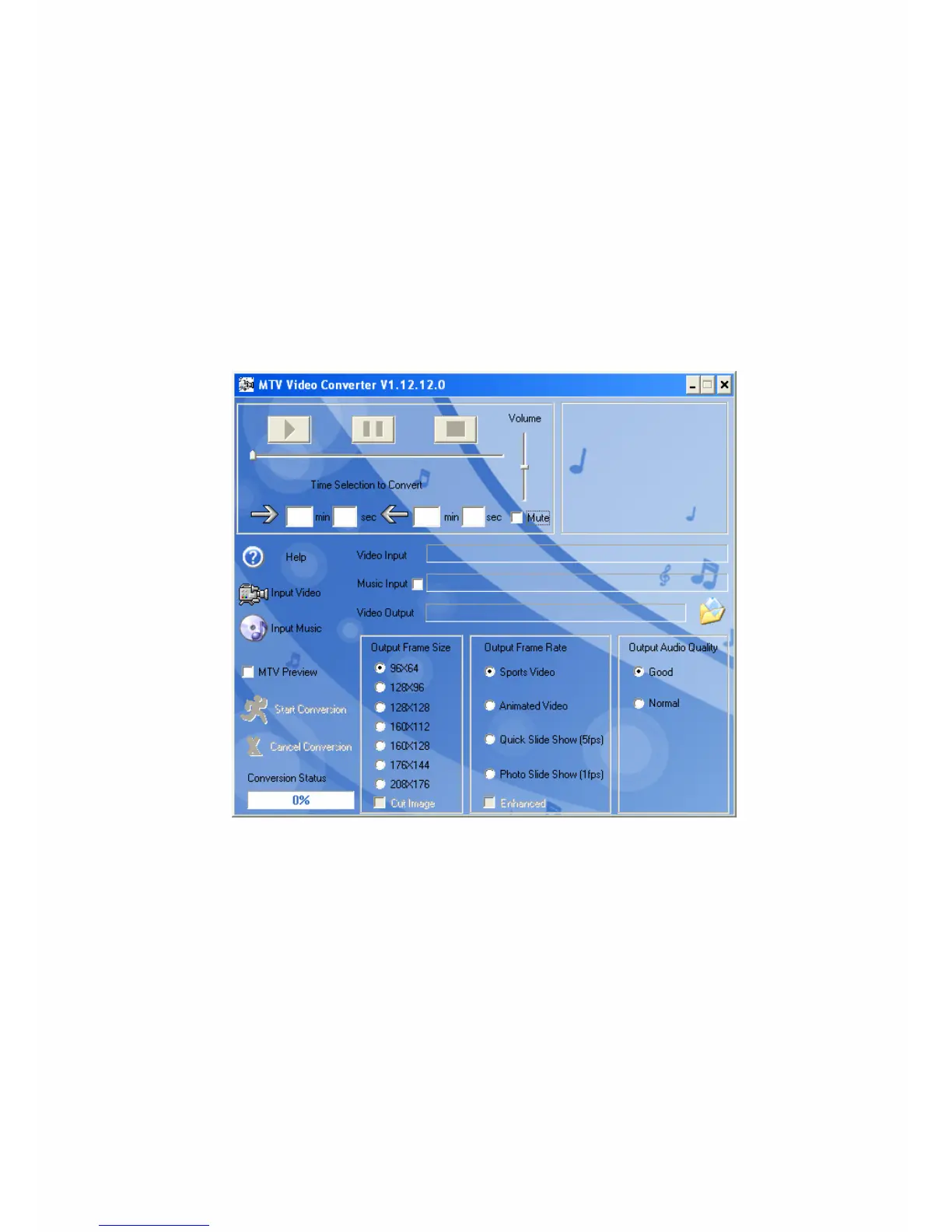
“VideoConvert.exe” program. The following window appears:
2. Click on "Input Video" and select the file to convert.
3. Click on the symbol of the folder on the right side of "Video
Output" if you like to save the file with a different file name or in
another folder.
4. Select in "Output Frame Size" the size (MP-288: 160x128 max.), in
"Output Frame Rate" the picture quality, and in "Output Audio
Quality" the audio quality.
5. If the original sound track of the video shall be replaced by
another one you have to check "Music Input" and select by
clicking on "Input Music" another music file.


 To Next Page