Need help?
Do you have a question about the Takstar SGC-600 and is the answer not in the manual?
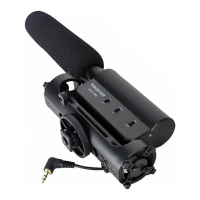
Controls the power state of the microphone, turning it ON or OFF.
Indicates power status: green for sufficient power, red for low power.
Adjusts microphone gain in three stages: +10dB, 0dB, and -10dB.
Filters out background noise below 200Hz for clearer audio.
Compartment for installing a single 1.5V AA battery.
Coiled cable with a 3.5mm stereo plug for connecting to devices.
Standard mount for attaching the microphone to a camera's hot shoe.
Used to securely lock the microphone onto the cold shoe mount.
Threaded hole for mounting the microphone onto stands or arms.
Reduces wind noise and pop sounds for improved audio quality.
Instructions for opening the compartment and inserting the AA battery correctly.
How to attach the microphone to cameras, DSLRs, or photography stands.
Connect the microphone to camera or DSLR audio input for recording.
Use the C2-1 cable to connect the microphone to a mobile phone.
 General
| Brand | Takstar |
|---|---|
| Model | SGC-600 |
| Category | Microphone |
| Language | English |

 To Next Page