4
Content
SAFETY PRECAUTIONS 6
IMPORTANT SAFETY INSTRUCTIONS 7
IMPORTANT INFORMATION 9
CONNECTION 10
Connection to the mains 10
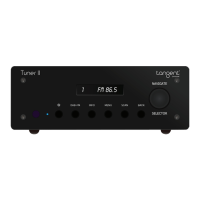
FRONT PANEL BUTTONS AND CONNECTIONS 11
REAR PANEL CONNECTIONS AND BUTTONS 12
REMOTE CONTROL BUTTONS 13
USING THE REMOTE 15
Installation of batteries 15
Using the remote control 15
AUDIO CONNECTIONS 16
FRONT PANEL INPUT 17
INTERNET RADIO QUICKSTART GUIDE 18
What you need before you can use your Internet radio 18
Steps for connecting your radio to your wireless network 18
Step 1 - Power up the radio 18
Step 2 - Scan for a wireless network connection 18
Step 3 - Connect to the wireless network 19
Steps for connecting your radio to your wired network 19
Choosing a radio station to listen to 20
<Location> 21
<Genre> 21
<Search> 21
Using your radio for tuning into DAB stations 21
Using your radio for tuning into FM stations 22
Returning to the menu while a station is playing 22
Storing a radio station in a preset 22
Playing a preset radio station 22
Requesting a station that is currently unavailable 23
Stations which enable you to choose what you listen to 23
Setting the clock 23
MEDIA PLAYER QUICKSTART GUIDE 25
Set up your Windows PC to allow the radio to access your audio files via Windows Shares 25
Locate the shared audio files using the radio 25
Listening to a single shared track 25
Listening to a complete shared album 26
Queuing up tracks for playback later 26



 To Next Page