0706
GETTING STARTED
TIMER
AUTO SPEED ON/OFF
Filter Reset
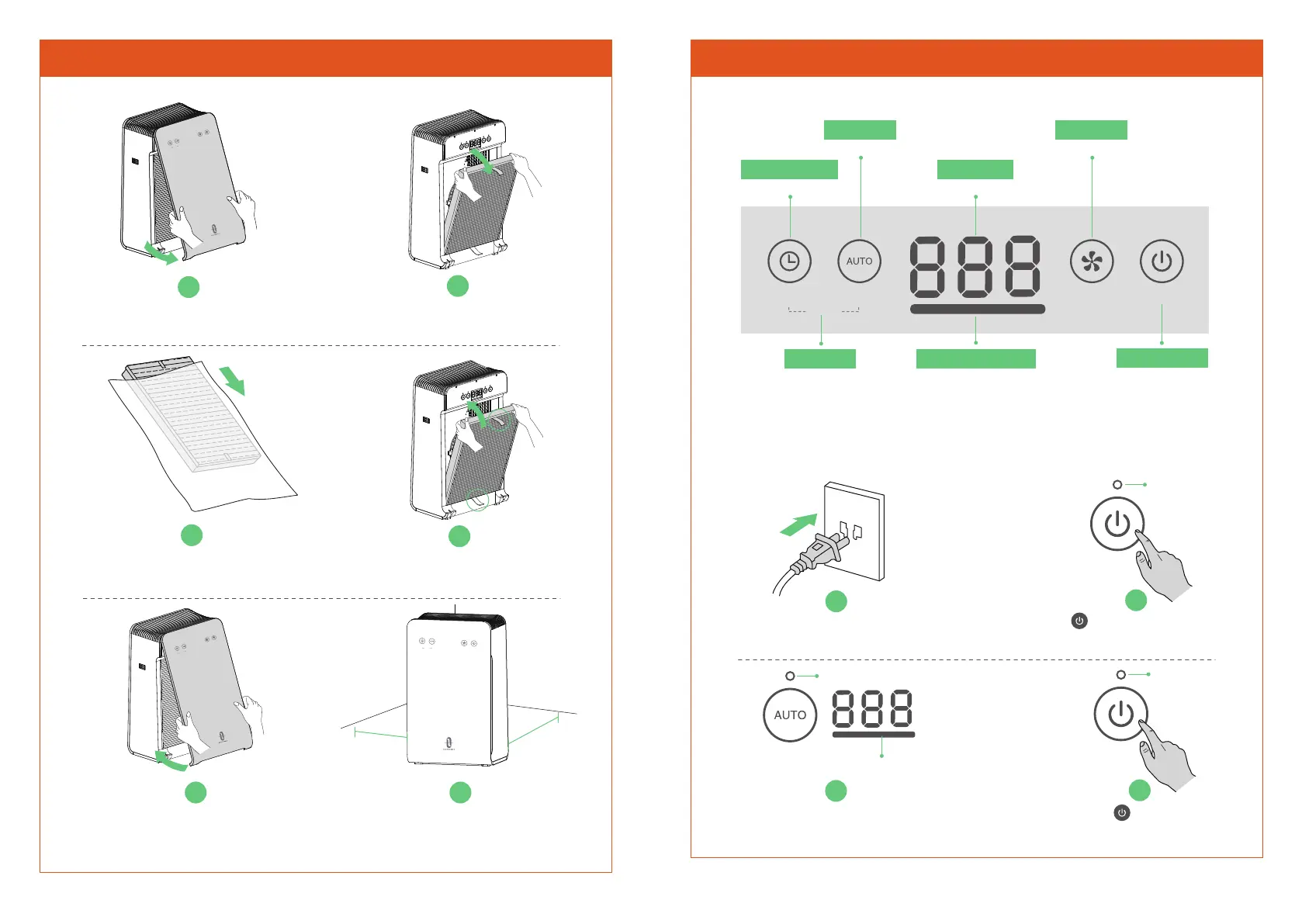
1
Open and remove Front Cover.
2
Hold pull tabs to take out
Multifunction Filter.
3
Remove from its plastic packaging.
4
Install Multifunction Filter back
(pull tabs facing out).
TIMER
AUTO SPEED ON/OFF
Filter Reset
5
Align the matching slots
and buckle up Front Cover.
TIMER
AUTO SPEED ON/OFF
Filter Reset
6
Place the unit on a firm, level and
flat surface. (Leave 15 in / 38 cm of
clearance for proper air flow)
15 in /
38 cm
15 in /
38 cm
USING YOUR AIR PURIFIER
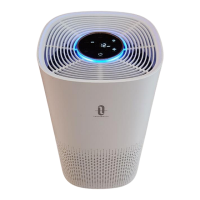
Control Panel & LED Display
ON/OFF
Filter Reset
SPEEDAUTO
TIMER
Auto Mode
Automatically adjust fan speed
Auto OFF Timer
(1~8h)
Reset Filter
Press and hold both buttons
Air Quality Indicator
Blue ------ Excellent
Green --- Moderate
Red ------ Poor
PM2.5 Value
The lower, the better
Fan Speed
1 / 2 / 3 / Sleep
Power ON/OFF
Turn air purifier on/off
Quick Start Of Your Air Purifier
1
Plug into an appropriate electrical outlet.
2
Tap to turn ON the air purifier
(Auto Mode ON by default).
ON/OFF
Auto Mode is turned ON by default, the fan
speed will be adjusted intelligently.
4
Tap to turn OFF
when finished using it.
ON/OFF
Indicator ON
AUTO
Indicator ON
Showing Current Air Quality
3
Indicator OFF


 To Next Page