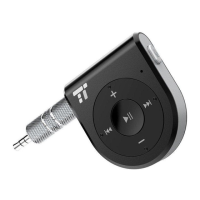
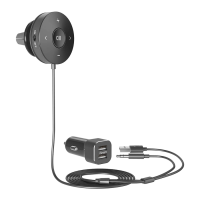
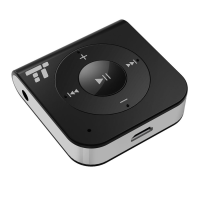
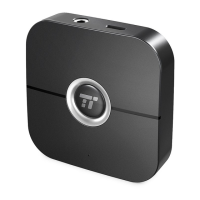
1) Follow the “Bluetooth Pairing” instructions to pair the TT-BR05 with
your rst device
2) Turn OFF your rst device. The TT-BR05 will automatically switch into
pairing mode
3) Connect your second device with the TT-BR05
4) Turn ON the Bluetooth of your rst device and select “TaoTronics
®
TT-BR05” on your phone, now both devices will pair with the TT-BR05
receiver.
To switch between the two devices, simply pause the music on the rst
device and play music on the second device or vice versa.
Note: The TT-BR05 can remember the last two successfully paired
devices. To reconnect to either of the last paired devices, simply turn
ON the Bluetooth of the device and the TT-BR05. The Bluetooth
connection will automatically reestablish.
5. Useful Tips
• Music will automatically pause when making or taking phone calls;
it will resume when the phone call is nished.
• The TT-BR05 will power off automatically if there is no Bluetooth
connection for 8 minutes.
• You can safely use the receiver while it is charging.
Care and Maintenance
• Keep the receiver away from heat and humidity
• Do not put the product under direct sunlight or hot areas. High
temperatures will shorten the lifespan of the receiver
• Do not try to take the product apart. It may cause serious damage
• Do not drop or knock your receiver on hard surfaces as it
damages the interior circuit.
• Do not use chemicals or detergents to clean the product
• Do not scrape the surface with sharp objects.
Troubleshooting
Q: My receiver will not switch on.
A: Please recharge it and make sure the TT-BR05 has enough battery
power. Connect the unit to a charger and see if the power button
turns green.
Q: I am having trouble pairing and connecting to my
Bluetooth pairing device.
A: Please check the following:
• Please make sure your Bluetooth device supports A2DP prole
• Make sure the TT-BR05 and your device are next to each other
or within 3 feet
• The TT-BR05 must be in pairing mode; this is indicated by the LED
ashing red and blue alternately.
Q: After connecting and pairing with my Bluetooth device, I
cannot hear any music from my sound system.
A: Please check the following:
07/08


 To Next Page
 Loading...