EasyManua.ls Logo

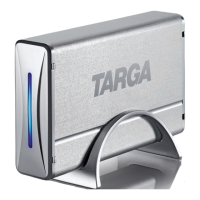
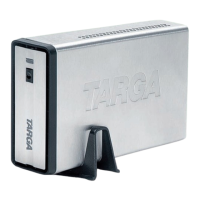
Targa DataBox NDAS 500 eSATA - User Manual

Targa DataBox NDAS 500 eSATA
39 pages
Print Icon
To Next Page IconTo Next Page
Loading...
EXTERNAL
NETWORK HARD DISK
User manual and service information
DataBox NDAS 500 eSATA
hb_6_db_ndas500_esata_0710.qxd:layout 18.10.2007 14:19 Uhr Seite 1
Question and Answer IconNeed help?

Do you have a question about the Targa DataBox NDAS 500 eSATA and is the answer not in the manual?

Summary

System and Compliance Information

System Requirements

Minimum hardware and software requirements for device operation.

Technical Specifications and Usage

Technical Specifications

Detailed technical data, dimensions, and specifications of the device.

Important Safety Instructions

Connecting via USB Cable

USB Connection and Disconnection Procedures

Safely Disconnecting USB Connection

Procedure for safely removing the device from the computer.

eSATA Connection and Disconnection Procedures

Connecting via eSATA Cable

Instructions for connecting the device using the eSATA interface.

Network Connection Setup

Network Software Installation Process

Completing Software Installation

NDAS Device Registration Steps

Registering a New NDAS Device

Initiating the process to register the NDAS device with the system.

NDAS Device Registration Wizard

Setting Device Name and ID

Setting a name and entering the ID/Write Key for the NDAS device.

Mounting the NDAS Device

Checking the device status on the network for mounting.

Mounting NDAS Device Options

Choosing Access Rights (Read-Only;Read-Write)

Selecting preferred access level for the mounted device.

Installing Device Drivers

Found New Hardware Wizard Steps

Wizard screens for driver installation, including options.

Completing Driver Installation

Advanced Features: RAID

RAID Configuration: Group Creation

Initiating the NDAS Bind Wizard

Starting the wizard to create bound disks for RAID.

RAID Configuration: Disk Binding

Selecting RAID Type and Number of Disks

Choosing the desired RAID type and specifying the number of disks.

Selecting Disks for Binding

Adding available NDAS devices to the RAID configuration.

Completing RAID Binding and Initializing

Disk Bind Wizard Completion and Results

Finalizing RAID binding and reviewing the configuration results.

Partitioning and Formatting RAID Cluster

Initializing, partitioning, and formatting the created RAID cluster.

Partitioning and Formatting: Disk Management Access

Initialize and Convert Disk Wizard

Starting the wizard to initialize and convert disks.

Initialize Disk Wizard

New Partition Wizard: Welcome

New Partition Wizard: Partition Type and Size

New Partition Wizard: Logical Drive Setup

New Partition Wizard: Drive Assignment and Formatting

New Partition Wizard: Formatting Settings

Targa DataBox NDAS 500 eSATA Specifications

General IconGeneral
ModelDataBox NDAS 500 eSATA
Capacity500 GB
InterfaceeSATA
Form Factor3.5-inch
CompatibilityWindows, Mac OS X
FeaturesNDAS technology

Related product manuals