11
User’s Manual
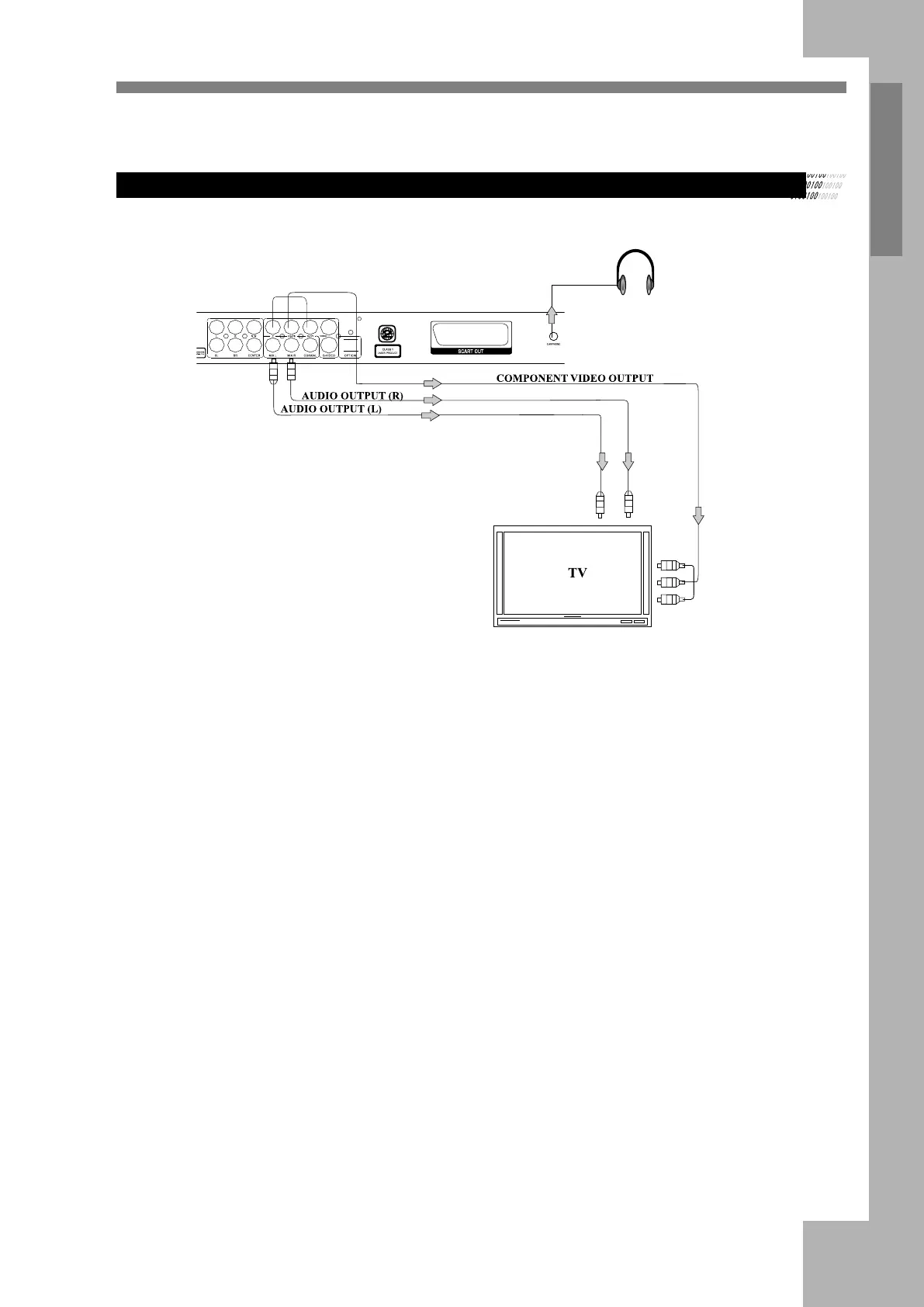
Connecting to a TV Connect the DVD player to a TV.
Connecting to a Progressive Scanning TV
Notes:
1. Select progressive when you have a TV that can accept
progressive signals to enjoy accurate color reproduction
and high quality images.
2. If your TV has a component video (YPbPr) input
connector , connect the YPbPr video out jacks on the
DVD player to corresponding input on the TV.
3. Set "Video" to P-Scan YPBPR if your TV supports
progressive scan, otherwise use interlace-YUV.
4. Press key " VOL -/+" on the remote control to adjust the
earphone volume.
HEADPHONES


 To Next Page