21
User’s Manual
Function Setup
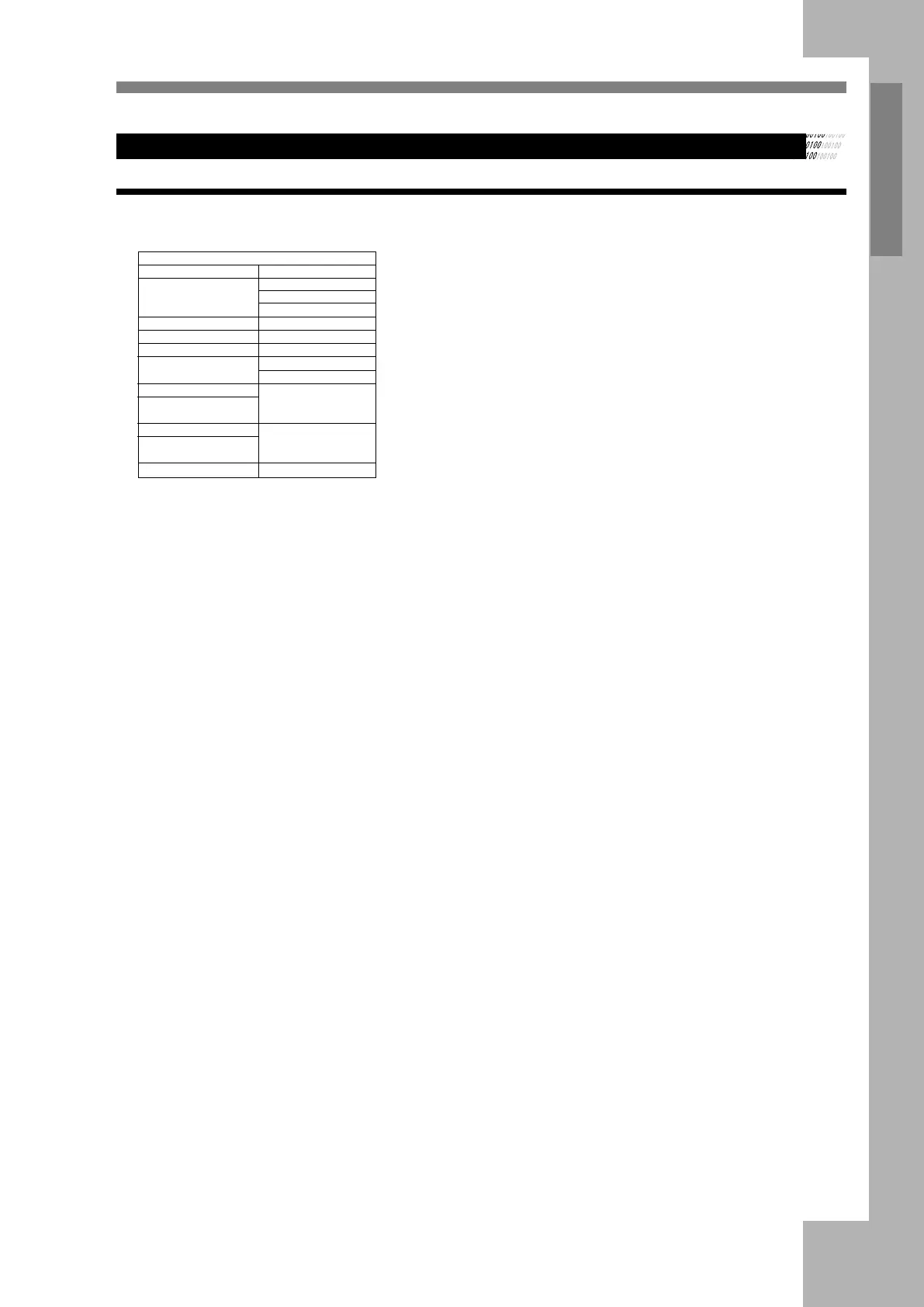
SPEAKER SETUP
SPEAKER SETUP
DOWNMIX>>
LT /R T
STEREO
VSS
OFF
SUBWOOFER>>
OFF
ON
BASS MODE>>
ALL LG SPK
ALL SM SPK
MIXED SPK
CENTER DELAY>>
- -¡ +
- -¡4MS
- -¡2MS
- -¡0MS
REAR DELAY>>
- -¡ +
- -¡12MS
- -¡6MS
- -¡0MS
EXIT SETUP
DOWNMIX
LT/RT is recommended if the discs support PROLOGIC DOLBY
STEREO , you can enjoy clear and superior sound effect as in the cinema.
If the discs support 5.1 channal output , STEREO is recommended . If
you choose VSS mode , you will enjoy virtual surround effect
SUBWOOFER
The subwoofer could open or close ,choose this option to open or close
BASS MODE
There are three BASS mode you could choose ALL LG SPK , ALL SM
SPK, MIXED SPK
CENTER DELAY
Use Up/Down directional buttons to adjust the center delay
REAR DELAY
Use Up/Down directional buttons to adjust the rear delay
DIGITAL SETUP
DYNAMIC RANGE:
Use the directional buttons choose and adjust this setting
DUAL MONO:
If your amplifier has Dolby digital output mode , you may choose
STEREO,MONO L,MONO R and MIX MONO for the decoding method


 To Next Page