EasyManua.ls Logo

Target LCD Multizone CC16G60DAB - User Manual

Target LCD Multizone CC16G60DAB
15 pages
Print Icon
To Next Page IconTo Next Page
Loading...
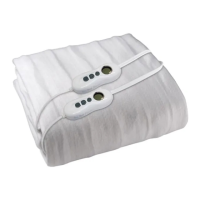
ELECTRIC BLANKET
INSTRUCTIONS
LCD Multizone
Note: The specifications and/or components of this product are subject to change without prior notice
Model Numbers
CC16G60DAB -
Queen
CC16i60DAB -
King

Questions and Answers

  • J
    joseph26Aug 14, 2025
    What to do if my Target Accessories display blinks continuously?
    • M
      Maria SmithAug 14, 2025
      If the display on your Target Accessories is blinking or flashing continuously, it indicates that the controller has overheated. Turn off the power to the controller at the power point. Make sure that the controller is not covered by bedding and that there are no nearby heat sources. Allow the controller to cool down, which may take up to an hour, until the blinking stops and it defaults back to the “oF” setting. Reposition the controller so it hangs freely, is not covered, and is away from any heat sources. Then, plug it back in, switch it on, and reset your desired heat setting and auto time off. Do not cover the controller.
  • C
    cmckinneyAug 17, 2025
    What to do if my Target Accessories controller is continuously turning off and displaying “oF”?
    • K
      Kelly RodriguezAug 17, 2025
      If your Target Accessories controller keeps turning off and showing “oF”, it could be due to overheating or the auto-off timer. First, ensure the controller isn't covered and is away from heat sources, then allow it to cool down. If the auto-off timer activated, this is normal. If the timer turns off the controller too soon, increase the auto-off time.
  • R
    Robert GomezAug 20, 2025
    What to do if Target LCD Multizone CC16G60DAB Accessories display is on but not heating?
    • J
      Jill CarterAug 20, 2025
      If the display of your Target Accessories is on but it's not heating, ensure the detachable plug from the controller to the blanket is correctly fitted and locked. Also, check that you have selected a heat setting that is not too low, and allow sufficient pre-heat time, especially in colder conditions. Make sure the blanket is covered with bed covers; it won't feel warm otherwise.
  • A
    Ashley Powers MDAug 25, 2025
    Why does my Target LCD Multizone CC16G60DAB display change to “A5” when P6, P7 or P8 is selected?
    • C
      Christopher CampbellAug 25, 2025
      The Target Accessories display changes to “A5” after approximately 3 hours when P6, P7, or P8 is selected because the controller automatically turns down from any of the pre-heat settings to the highest all-night setting “A5” for safety reasons.
  • A
    Ashley HollandAug 27, 2025
    What to do if Target Accessories display is on but I cannot change any of the settings?
    • T
      Travis PalmerAug 27, 2025
      If your Target Accessories display is on, but you cannot change any settings, the program may have locked up due to a power surge. Unplug the controller from the power point, wait two minutes, then plug it back in and switch it on again.
  • T
    Timothy HarrisAug 30, 2025
    Why does my Target LCD Multizone CC16G60DAB body zone heats but not foot zone?
    • L
      Lisa CollinsAug 30, 2025
      If the body zone of your Target Accessories heats, but not the foot zone, it's likely that only the body zone heat setting has been selected. Make sure to select the foot zone and choose the desired heat setting.
  • R
    Ricardo PowellSep 3, 2025
    Why does my Target Accessories foot zone heats but not body zone?
    • A
      angelmorganSep 3, 2025
      If the foot zone of your Target Accessories is heating but the body zone isn't, it means only the foot zone heat setting has been activated. Select the body zone and choose your desired heat setting.
  • M
    matthew33Sep 6, 2025
    Why when setting heat settings, does the display of my Target LCD Multizone CC16G60DAB keeps changing back to oF’?
    • J
      Jeffrey CoxSep 6, 2025
      If, when setting the heat settings, the display of your Target Accessories keeps reverting to 'oF,' it indicates that you are not pressing the heat setting buttons correctly. The heat setting buttons need to be pressed twice within 3 seconds of each other. The first press selects the zone, and the second press selects the heat setting.
  • M
    Michael ChambersSep 9, 2025
    Why is my Target Accessories controller warm to touch?
    • S
      Stephen HensleySep 10, 2025
      A Target Accessories controller that is warm to the touch is normal and not a cause for alarm.

Summary

Important Safeguards

Connecting the Controller;s

Securing Your Electric Blanket

Features

Using The Controller

Heat Settings - LCD screen

Explains heat settings (A1-A5, P6-P8) and their meanings on the LCD display.

Foot and Body Zone Setting

Details how to set independent heat for body and foot zones using the controller.

Timer Settings - 12 Segments

Guides on setting and using the auto-off timer function for the electric blanket.

Overheat Protection

Recommended Cleaning Instructions

Treatment For Localised Soiling

Provides instructions for cleaning specific spots on the electric blanket.

Hand Washing (Recommended)

Step-by-step guide for safely hand washing the electric blanket.

Machine Washing

Details the process for machine washing the electric blanket safely.

Drying

Offers guidance on how to properly dry the electric blanket after washing.

Servicing Your Blanket and Controller;s

Electrical Schematic Diagram

Troubleshooting

Troubleshooting Table

Lists common problems, their causes, and recommended remedies for the electric blanket.

Target LCD Multizone CC16G60DAB Specifications

General IconGeneral
BrandTarget
ModelLCD Multizone CC16G60DAB
CategoryAccessories
LanguageEnglish