Bluetooth
®
Laser Mouse
225
Bluetooth
®
Laser Mouse
226
De knoppen instellen
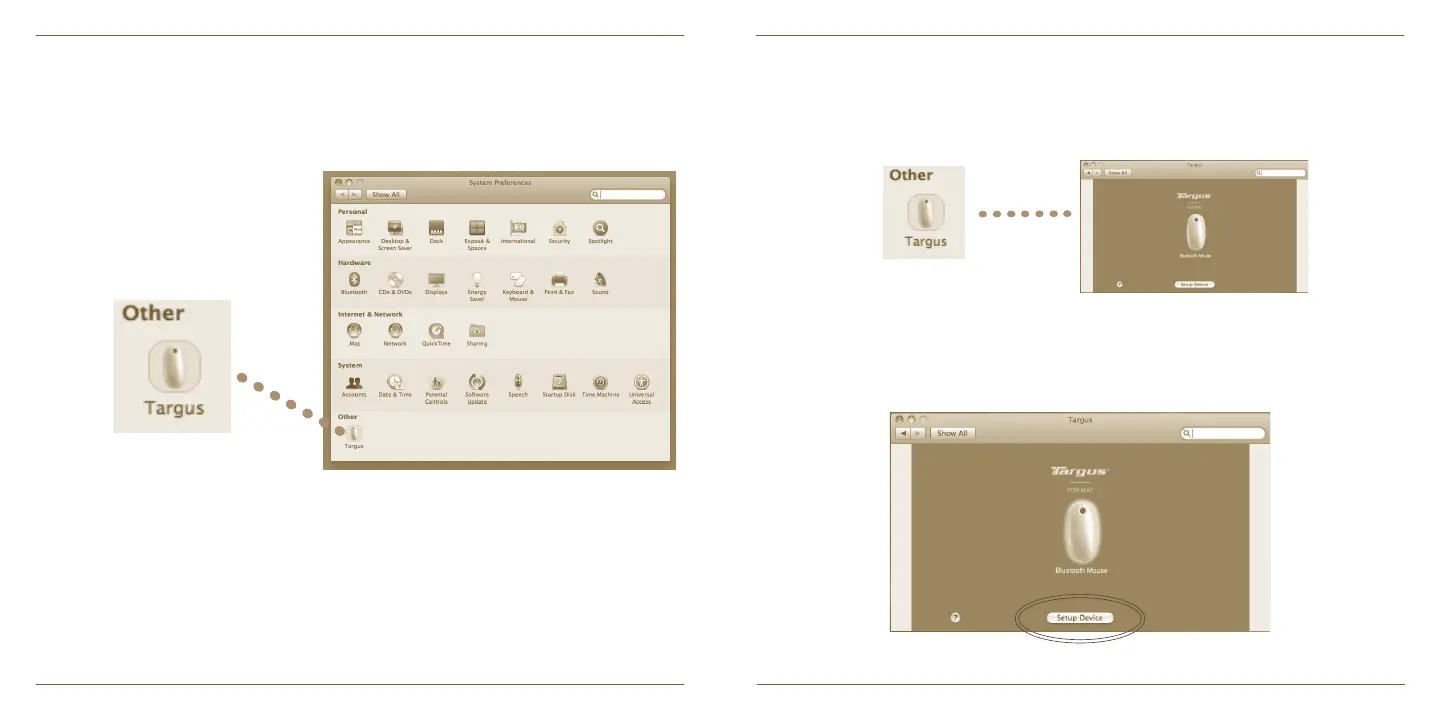
Klik op het plaatje van het apparaat om het te selecteren en druk daarna op
“Setup Device” (Apparaat instellen) om de configuratiesoftware te starten.
Klik op het Targus logo om de apparaattoepassing te starten.
Een Targus icoon zal in het venster van System Preferences (Systeem
Voorkeuren) verschijnen.
Start, nadat de software succesvol is geïnstalleerd, uw computer opnieuw op
om de installatie van de software te voltooien.


 To Next Page