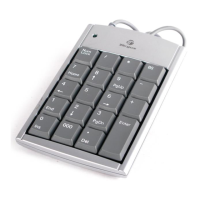
Targus Wireless Numeric Keypad
2
Targus Wireless Numeric Keypad
3
Introduction
Thank you for your purchase of the Targus Wireless Numeric Keypad. This
keypad is designed with a storable USB receiver, providing ease of use
when travelling.
System Requirements
Hardware
• USB port
Operating System
• Microsoft Windows
®
2000
• Microsoft Windows
®
XP
• Microsoft Windows Vista
®
• Microsoft Windows
®
7
• Mac OS
®
X 10.4 or later
Contents
• Targus Wireless Numeric Keypad
• 1 x AAA Battery
• 1 x USB Receiver
• User Guide
Installing the Batteries
USB receiver
Battery compartment
cover
On/Off switch
Reset button
1. Remove the battery cover from the back of the keypad.
2. Insert the supplied battery, making sure that the positive (+) and
negative (-) ends of each battery match the polarity indicators inside
the battery compartment.
3. Slide the battery cover back into position until it “clicks” firmly into place.














 To Next Page