EasyManua.ls Logo

Tascam DV-D01U - User Manual

Tascam DV-D01U
44 pages
Print Icon
To Next Page IconTo Next Page
Loading...
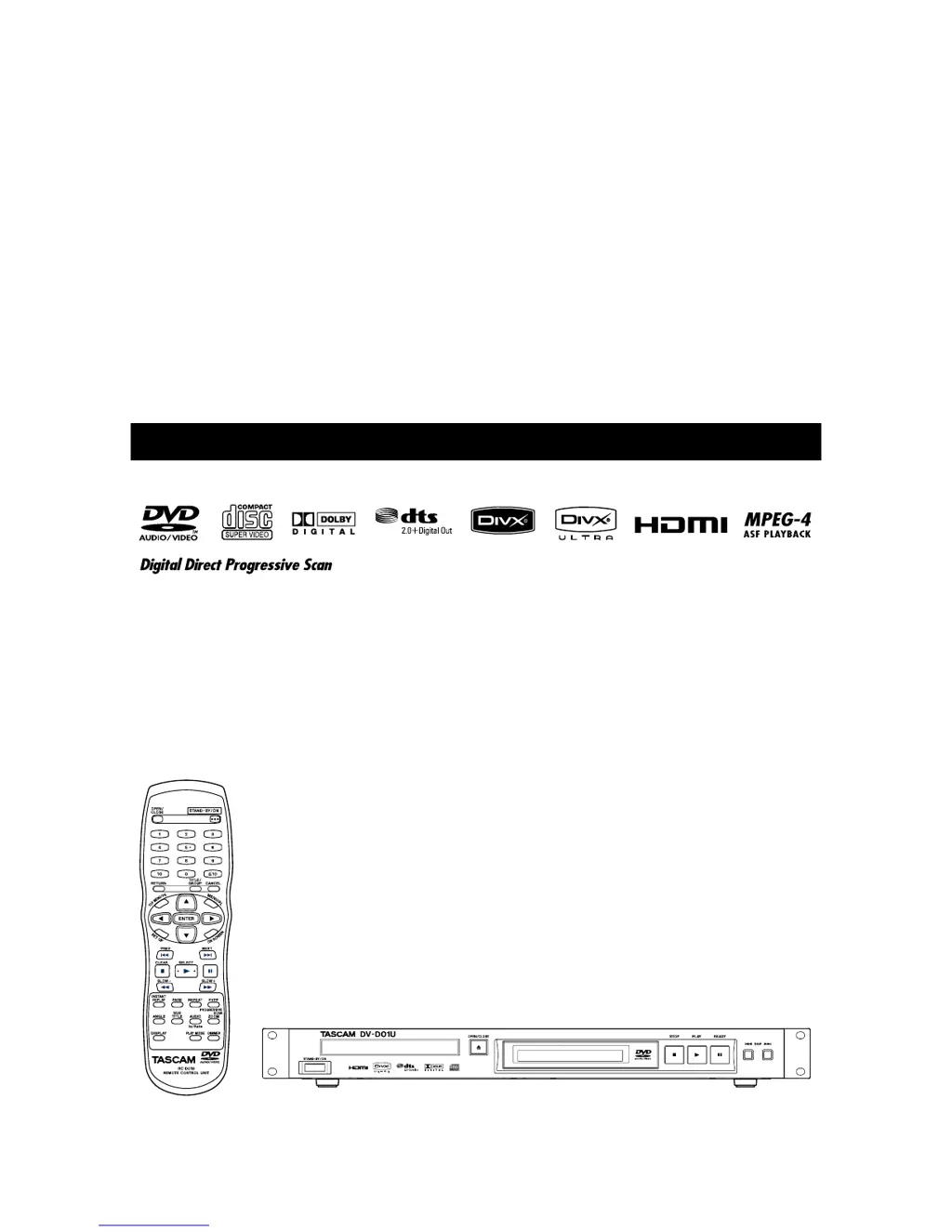
DV-D01U
DVD PLAYER
D00975220A
»
OWNER'S MANUAL

Other manuals for Tascam DV-D01U

Questions and Answers

  • S
    Stacy AustinJul 29, 2025
    What to do if there is no picture or sound via HDMI on my Tascam DVD Player?
    • H
      Heather BoydJul 30, 2025
      If you're not getting a picture or sound through the HDMI connection on your Tascam DVD player, there might be a few reasons: * The video or audio format might not be compatible with your unit or TV. Check the video or audio format to ensure compatibility. * You may not have a HDCP-compatible TV connected. Ensure you are using a HDCP-compatible TV. * The unit might not be recognizing the TV. Try disconnecting and reconnecting the HDMI cable. * The HDMI cable might be too long. Use a cable shorter than 5 m (15 ft) for stable operation.
  • B
    Barry AdamsAug 3, 2025
    What to do if my Tascam DV-D01U remote control does not work?
    • M
      Mathew NelsonAug 3, 2025
      If the remote control for your Tascam DVD player isn't working, it could be due to a couple of reasons: * The batteries might be dead. Try replacing the batteries. * Sunlight might be interfering with the remote sensor. Try to shield the remote sensor from direct sunlight.
  • X
    xwilliamsonAug 7, 2025
    What to do if the picture on my Tascam DVD Player doesn't fit the TV screen?
    • S
      Seth LewisAug 7, 2025
      If the picture from your Tascam DVD player doesn't fit the TV screen, the monitor type might not be set correctly. Adjust the 'MONITOR TYPE' setting.
  • Y
    ydavisAug 11, 2025
    Why is the video and audio distorted on my Tascam DVD Player?
    • S
      sarah89Aug 11, 2025
      If the video and audio from your Tascam DVD player are distorted, it could be due to: * A scratched or dirty disc. Try replacing or cleaning the disc. * A VCR connected between the unit and the TV. Connect the unit and TV directly.
  • T
    Tara TaylorAug 15, 2025
    Why does my Tascam DV-D01U take so long to read discs?
    • M
      Micheal MedinaAug 16, 2025
      If your Tascam DVD player is taking a long time to read discs, the disc might be dirty. Clean the disc.
  • A
    April MartinAug 20, 2025
    What to do if there's no picture on my Tascam DV-D01U?
    • J
      jeffreyowenAug 20, 2025
      If there's no picture displayed on the TV screen from your Tascam DVD player, it could be due to a couple of reasons: * The video cable might not be connected correctly. Ensure the cable is properly connected. * The disc or file might not be playable. Use a playable disc or file.
  • W
    William HowellAug 25, 2025
    Why is there no sound from DIGITAL OUT (OPTICAL) jack when playing high sampling audio on my Tascam DV-D01U?
    • D
      Darren MartinAug 25, 2025
      If you're not getting sound when playing back a DVD recorded with high sampling linear PCM audio using the DIGITAL OUT (OPTICAL) jack on your Tascam DVD player, the audio signal might not be derived from that jack. Use analog AUDIO OUT when playing back such discs.

Summary

Safety Information

Rack-mounting the Unit

Provides instructions for installing the unit in a rack.

Introduction

Notes on handling

Important cautions for installation, power cord, and unit operation.

Supplied accessories

Lists items included with the DV-D01U unit.

About discs

Playable disc types

Details the various disc formats the unit can play.

Description of parts and controls

Front panel

Explains the controls and display on the front of the unit.

Rear panel

Details the connections and ports on the rear of the unit.

Connections

Connecting a TV

Guides on connecting the unit to different types of televisions.

About DVD AUDIO

Explains audio output options for DVD AUDIO discs.

What is HDMI?

Provides information on the HDMI interface and its compatibility.

Basic operations

Turning the unit on;off

How to power the unit on and off using the standby button.

Adjusting the brightness of the indications [DIMMER]

How to change the brightness of the unit's display.

Playback

Basic playback

Step-by-step guide to playing discs and files.

Advanced operation

Using the on-screen bar

How to check disc information and use functions via the on-screen bar.

Contents of the on-screen bar during playback

Details the information displayed on the on-screen bar.

Setting DVD preferences

Using the setup menus

Basic operation for accessing and navigating setup menus.

Menu description

Explains the options within the setup menus like language settings.

RS-232 C interface

RS-232 C Specifications

Technical details of the RS-232C port and communication.

Command

Explains the structure and syntax of RS-232C commands.

References

Maintenance

Procedures for maintaining the unit and discs.

Handling Discs

Proper methods for handling and storing discs.

To clean the disc

Instructions for cleaning discs.

Cleaning the unit

Instructions for cleaning the exterior of the unit.

Troubleshooting

Common problems and their solutions.

Specifications

General

General specifications including power, dimensions, and mass.

Audio section

Specifications for audio outputs.

Video section

Specifications for video outputs and quality.

Tascam DV-D01U Specifications

General IconGeneral
Progressive scan output-
Analog signal format systemNTSC
Audio decodersDolby Digital, DTS Digital Surround
Signal-to-Noise Ratio (SNR)64 dB
Audio formats supportedMP3, WAV, WMA
Image formats supportedJPEG XR
Video formats supportedASF, DIVX, MPEG1, MPEG2
USB 2.0 ports quantityUSB 2.0 ports have a data transmission speed of 480 Mbps, and are backwards compatible with USB 1.1 ports. You can connect all kinds of peripheral devices to them.
S-Video inputs quantity2
Playback disc typesDVD+R, DVD+RW
Playback disc formatsCD video
Device typeDVD player
Product colorBlack
Ethernet LANNo
Power consumption (standby)0.2 W
Power consumption (typical)11 W
Weight and Dimensions IconWeight and Dimensions
Depth269 mm
Width482 mm
Height51 mm
Weight2300 g