1.
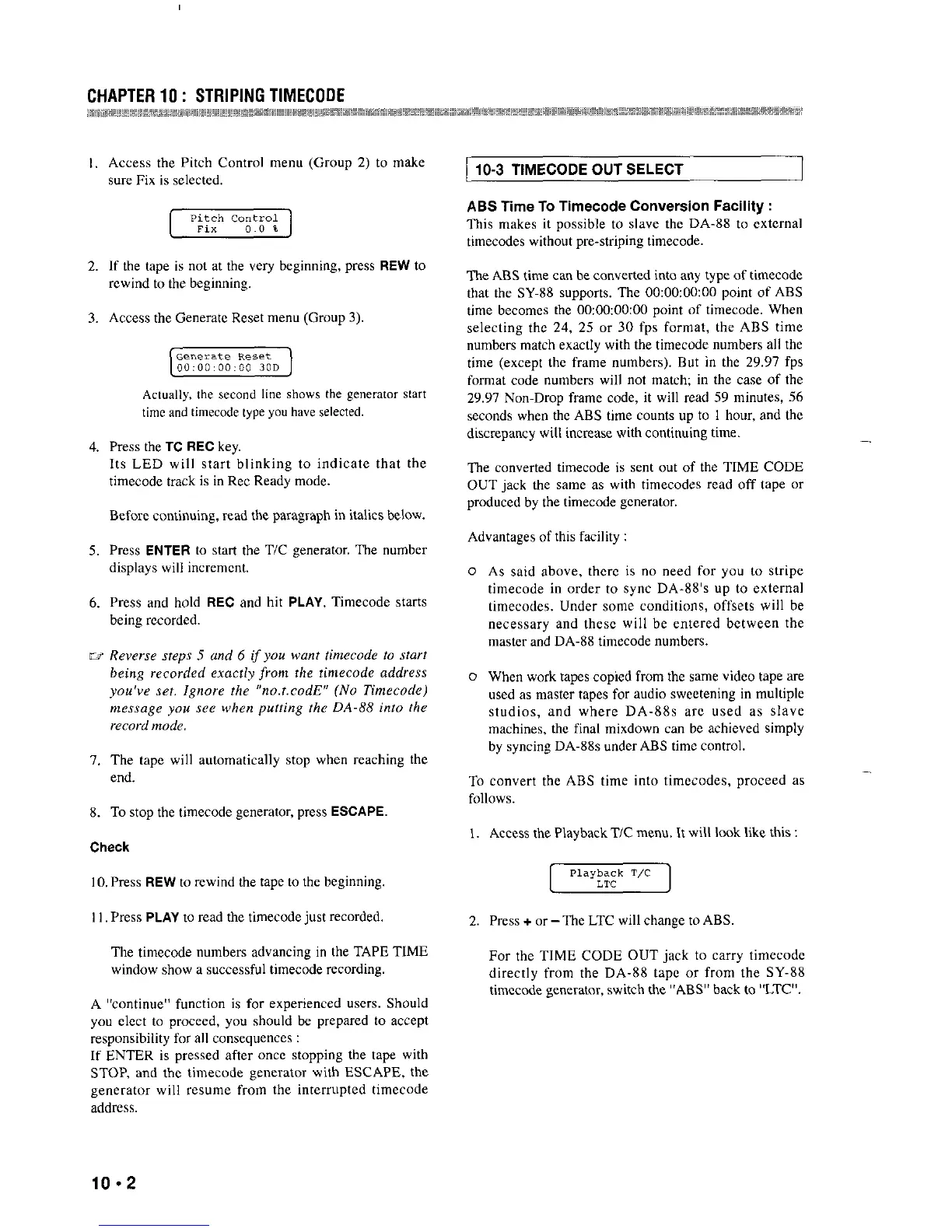
Access the Pitch Control metm (Group 2) to make
sure Fix is selected.
2.
If the tape is not a.t the very beginning, press REW to
rewind to the beginning.
3. Access the Genen.tc Reset me”” (Group 3).
[.]
Actually, the second line shows the generator start
time and timecode type you have selected.
4.
Press the TC REC key.
Its LED will start blinking to indicate that the
timecode track is in Ret Ready mode.
Before continuing, read the paragraph in italics below.
5.
Press ENTER to start the T/C generator. The number
displays will increment,
6.
Press and hold REC and hit PLAY. Timecode starts
being recorded.
7, The tape will automatically stop when reaching the
end.
8. To stop the timecode generator, press ESCAPE.
10, Press REW to rewind the tape to the beginning.
11. Press PLAY to read the timecode just recorded,
The timecode numbers advancing in the TAPE TlME
window show a successful timecode recording.
A “continue” function is for experienced users. Should
you elect to proceed, you should be prepared to accept
responsibility for all consequences :
If ENTER is pressed after once stopping the tape with
STOP, and the timecode generator with ESCAPE, the
generator will resume from the interrupted timecode
address.
10-3 TIMECODE OUT SELECT
ABS Time To Timecode Conversion Facility :
This makes it possible to slave the DA-88 to external
timecodes without pre-striping timecode.
The ABS time can be converted into any type of timecode
that the SY-88 supports. The OO:O~OOzOO point of ABS
time becomes the OOzOOzOO:OO point of timecode. When
selecting the 24, 25 or 30 fps format, the ABS time
numbcn match exactly with the timecode numbers all the
time (except the frame numbers), But in the 29.97 fps
format code numbers will not match; in the case of the
2Y.Y7 Non-Drop frame code, it will read 5Y minutes, 56
seconds when the ABS time counts up to 1 hour, and the
discrepancy will increw with continuing time.
-
The converted timecode is sat out of the TIME CODE
OUT jack the same as with timecodes read off tape or
produced by the timecode generator.
Advantages of this facility :
As said above, thwc is oo need for you to stripe
timecode in order to sync DA-88’s up to external
timecodes, Under some conditions, offsets will be
necessary and these will be entered between the
master and DA-88 timecode numbers.
When work tapes copied from the same video tape are
used as mater tapes for audio sweetening in multiple
studios, and where DA-88s a.re used as slave
machines, the final mixdown can be achieved simply
by syncing DA-88s underABS time control.
To convert the ABS time into timecodes, proceed as
follows.
I. Access the Playback T/C menu. It will look like this :
2. Press + or-The LTC will change to ABS
For the TIME CODE OUT jack to carry timecode
directly from the DA-88 tape or from the SY-88
timccode generator, witch the “ABS” back to “LTV.
10.2


 To Next Page
 Loading...