
 Need help?
Do you have a question about the Taser AXON body and is the answer not in the manual?
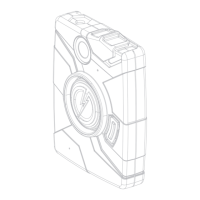
Overview of the AXON body camera system's purpose and design.
Explains the meaning of the Operation LED lights in different modes.
Details the ETM socket's role in data transfer and recharging.
Describes how to use the on/off switch to power the camera.
Explains the visual indicator for the camera's power state.
Describes how the speaker provides audio notifications.
Instructions for using the EVENT button to start and stop recording.
How to use the Battery button to check remaining battery capacity.
Details the Battery LED colors for different battery levels.
Explains the microphone's role in audio recording.
How to adjust volume and pair the camera with mobile devices.
Explains the LED indicating data upload or configuration status.
Identifies the imager as the camera lens.
Covers accessories like the holster and its plug.
Using the mobile app for live streaming and view confirmation.
Steps for registering a user account on EVIDENCE.com.
Instructions for installing the EVIDENCE Sync software on a computer.
Procedure for assigning the AXON camera to a user.
Detailed step-by-step guide for installing EVIDENCE Sync software.
Step-by-step guide for assigning the AXON camera to a user.
Procedure for agency administrators to set cameras to offline mode.
Highlights cautions and liability regarding offline mode usage.
Steps for agency administrators to set individual cameras to offline mode.
Procedure to configure EVIDENCE Sync software for offline mode.
Explains how BUFFERING mode captures pre-event video without audio.
Describes how to activate and use EVENT mode for recording.
Instructions for starting, stopping, and ending recordings in EVENT mode.
How to check the remaining battery percentage using indicators.
How to adjust the volume of audio prompts on the camera.
Steps to turn off the camera's indicator lights.
Explains how to use the ETM to recharge the camera and upload data.
Details camera LED status during the uploading process.
Procedure for assigning cameras when officers share them.
Steps to upload video files to EVIDENCE.com using EVIDENCE Sync without an ETM.
Options for recharging the camera using a computer or wall charger.
Detailed steps to download videos to a computer using EVIDENCE Sync in offline mode.
Explains the various beeping sounds and their meanings for system status.
Instructions for cleaning the camera, including lens care.
Information on battery charging times and best practices.
Explains what happens during a camera reset and its LED behavior.
Information on customer service contact and warranty policy.
Covers general warnings and details about radio wave exposure.
Details compliance with FCC and Health Canada radio frequency exposure limits.
States compliance with essential requirements of Directive 1999/5/EC.
 General
| Frame Rate | 30 fps |
|---|---|
| Field of View | 117 degrees |
| Storage | 64 GB |
| Water Resistance | IP67 |
| Battery Life | 12 hours |

 To Next Page
