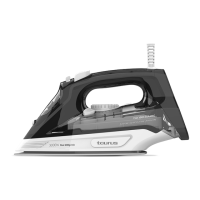
Steam iron
FIJI 3000 CERAMIC
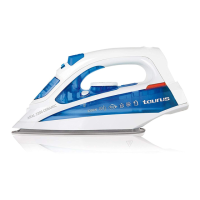
Description
A Spray button
B Steam blast button
C Steam ow control
D Auto-cleaning button
E Temperature regulator
F Pilot light
G Filling spout
H Spray nozzle
I Soleplate
Read these instructions carefully before switch-
ing on the appliance and keep them for future
reference. Failure to follow and observe these
instructions may result in an accident.
USE AND CARE:
- Fully unroll the appliance’s power cable before
each use.
- Do not use the appliance if the accessories
attached to it are defective. Replace them
immediately.
- Do not use the appliance on any part of the
body of a person or animal.
- Do not use the appliance on pets or animals.
- Do not use the appliance to dry garments of
any kind.
- Turning the thermostat control to the minimum
(MIN) setting does not guarantee that the iron
is switched o completely.
INSTRUCTIONS FOR USE
BEFORE USE:
- Peel o appliance’s protective lm.
- Make sure that all the product’s packaging has
been removed.
- Some parts of the appliance have been lightly
greased, consequently, the appliance may give
o a light smoke the rst time it is used. After a
short time, this smoke will disappear.
- Prepare the appliance according to the function
you wish to use:
FILLING WITH WATER:
- It is essential to have lled the tank with water
to be able to work with steam.
- Open the lid on the lling spout.
- Fill the tank, taking care to respect the MAX
level (Fig. 1).
- Close the lling spout lid.
USE:
- Unroll the cable completely before plugging it
in.
- Connect the appliance to the mains.
- Turn the thermostat control to the desired tem-
perature position.
- Do not use temperatures higher than those
indicated on the garments to be ironed.
- ● Temperature for synthetic bres
(Polyester, Nylon…).
- ●● Temperature for silk, wool.
- ●●● Temperature for cotton.
- Max Temperature for linen.
- If garment has various kinds of bres, select
the temperature for the bre that requires the
lowest temperature. (For example, select the
temperature for polyester for a fabric made out
of 60% polyester and 40% cotton).
- Wait until the pilot light (F) has gone out,
indicating that the appliance has reached an
adequate temperature.
- During use the pilot light (F) will automatically
ash on and o, indicating that the heating
elements are operating in order to maintain the
desired temperature.
DRY IRONING:
- The appliance has a steam ow regulator
which, when set to 1, allows dry ironing (with-
out steam).
STEAM IRONING:
- It is possible to iron with steam whenever the
tank has water and the adequate temperature
is selected.
STEAM FLOW CONTROL:
- The appliance has a (C) control knob for ad-
justing the steam ow.
-
SPR AY:
EN (Original instructions)


 To Next Page