Need help?
Do you have a question about the Tavool 03041907 and is the answer not in the manual?
Enables vertical and horizontal laser beams when lock switch is set to unlock position. Key indicator light turns green.
Laser level stops working. Beams flash every 5 seconds, indicator light is red. Horizontal beam is fixed for angled lines.
Short-press key button to reduce brightness to 80%, 65%, or 50%, returning to max brightness after fourth press.
Auto self-leveling range is ±4°. Laser line flashes if tool inclines more than 4°. Place on a flatter surface.
Turn lock switch to locked position for auto self-leveling mode. Long-press key button for locked mode.
Tool can be used on a tripod for desired height, featuring a 1/4' mounting thread for stand installation.
No laser color is safe for direct viewing. Green laser is more visible than red.
Contact service@tavool.com for problems or missing items. Offers 2-year warranty and customer support.
This document is a user manual for a TAVOOL laser level, model number 03041907. It provides essential information for the proper care, maintenance, and operation of the device.
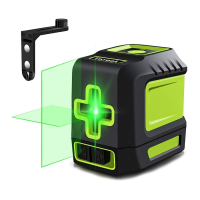
The primary function of this device is to project laser lines for various leveling tasks. It supports both auto self-leveling and a locked mode for projecting lines at any angle.
The laser level has a straightforward operation with a keyboard, indication light, laser window, lock switch, and a 1/4" mounting thread for tripod compatibility.
The product comes with a 2-year warranty covering faults in materials and workmanship from the date of purchase, provided there is proof of purchase, no unauthorized service/repairs, fair wear and tear, and no misuse. The warranty does not cover accidental damage, unfair wear and tear, use not in accordance with instructions, or unauthorized repairs/alterations. Calibration and care are also not covered. For any problems, questions, or concerns, customers are advised to contact service@tavool.com.
 General
| Brand | Tavool |
|---|---|
| Model | 03041907 |
| Category | Laser Level |
| Language | English |

 To Next Page