EasyManua.ls Logo

TB Wood's X4 - User Manual

TB Wood's X4
98 pages
Print Icon
To Next Page IconTo Next Page
Loading...
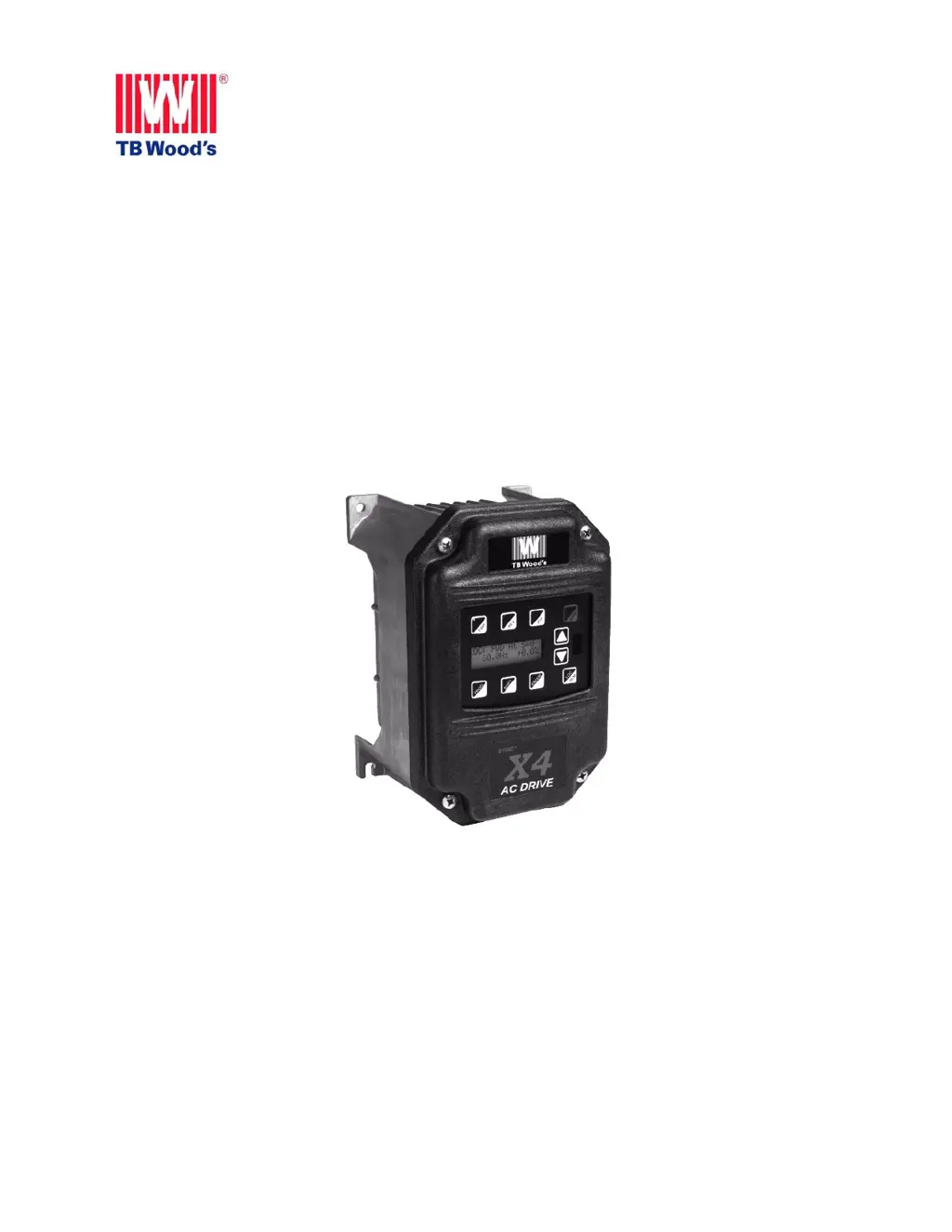
X4
AC Drive Users Manual
TB Wood’s Incorporated
Chambersburg, PA USA
Form 1428D

Table of Contents

Questions and Answers

  • L
    Lindsey CookeSep 18, 2025
    How to troubleshoot a power wiring error on TB Wood's Controller?
    • I
      ilarsonSep 18, 2025
      A power wiring error on your TB Wood's Controller flags a problem with the drive wiring. Check that the input power wiring is not connected to load power terminals. Consult the factory for assistance.
  • D
    Dorothy MccartyAug 25, 2025
    What to do if my TB Wood's X4 Controller displays an overvoltage condition?
    • V
      vincent86Aug 25, 2025
      If your TB Wood's Controller is showing an overvoltage condition, here's what you should do: * If it happens during power-up, verify the incoming line power is within specification and consider adding a reactor or transformer to correct it. * If it happens during running, verify the incoming line power and check for a regenerative load. Reduce the Regen load or add dynamic braking resistors. You may also consult the factory about the Regen Current Limit.
  • J
    Jessica CardenasAug 25, 2025
    How to troubleshoot a system fault on TB Wood's Controller?
    • A
      Andrew MillerAug 26, 2025
      A system fault on your TB Wood's Controller typically indicates an internal microprocessor problem or an incorrect thermistor profile. For either of these issues, it is recommended to consult the factory for repair or replacement.
  • K
    Karen LopezAug 26, 2025
    What causes an over-temperature condition on TB Wood's X4?
    • J
      Julie MooneyAug 27, 2025
      An over-temperature condition on your TB Wood's Controller can be triggered by several factors: * The ambient temperature exceeding the drive’s rating. * A faulty or improperly connected heatsink thermistor sensor. * A faulty or improperly connected control board thermistor sensor. * The temperature of the heatsink or control board exceeding a temperature limit. First, check that the ambient temperature does not exceed the drive’s rating and ensure the fan is operational (if the drive has fans). If the sensors are faulty, check thermistor connections or replace them. For further assistance, consult the factory.
  • S
    Stacey JohnsonSep 22, 2025
    What to do if TB Wood's X4 Controller shows a low voltage trip?
    • G
      Gloria BrownSep 22, 2025
      If your TB Wood's Controller shows a low voltage trip, it means a power dip occurred while the drive was operating, and the drive couldn't ride through it before shutting off the outputs. Verify that the input line power is within the drive’s specifications. Add a transformer or reduce demands to the power feed. Consult the factory for further assistance.
  • J
    Jennifer SmithSep 23, 2025
    How to fix a stator resistance measurement failure on TB Wood's Controller?
    • J
      James CarlsonSep 23, 2025
      If the drive cannot measure the stator resistance properly, this fault occurs. Try the routine again, and if the fault occurs twice, consult the factory.
  • J
    Jeffrey BradySep 9, 2025
    What to do if TB Wood's X4 Controller shows a speed reference loss?
    • J
      Jeffrey WhiteheadSep 9, 2025
      If your TB Wood's Controller shows a speed reference loss, it indicates that the analog input was configured to fault if the input current went below the level specified by customer parameters. Check the physical connections for the reference signal, ensure the programming for the 4-20 mA signal is correct, and verify that the signal to the drive is correct.
  • E
    Eric BradySep 12, 2025
    How to fix a broken wire detection fault on TB Wood's Controller?
    • C
      Cassandra SmithSep 12, 2025
      If your TB Wood's Controller displays a broken wire detection fault, it means the potentiometer circuit wiring opened and generated a fault. Check the wiring for loss of connection to the control terminals and ensure that a proper-value potentiometer is installed.
  • M
    Mary WoodSep 3, 2025
    What to do if TB Wood's X4 Controller shows a current calibration fault?
    • R
      renee56Sep 3, 2025
      If your TB Wood's Controller shows a current calibration fault on phase T1/U, check the motor connections to the terminal strip of the drive and at the motor. Have the motor checked and consult the factory for repair or replacement of the drive.
  • J
    Jacob ThompsonSep 1, 2025
    What causes a dynamic brake overload in TB Wood's X4?
    • J
      Jaime WilliamsSep 1, 2025
      A dynamic brake (DB) overload in your TB Wood's Controller can occur due to several reasons: * The DB circuit being active on power-up. * The DB circuit being activated for too long. * The DB circuit being overloaded by a large regenerative load. Check for a failed braking transistor. Reduce the braking cycle or increase capacity. Activate the current limit and consult the factory.

Summary

Chapter 2: Technical Characteristics

2.2 Power and Current Ratings

Lists power and current ratings for X4 AC drive models across voltages.

2.4 Electrical Specifications

Outlines electrical parameters like input voltage, line frequency, and control system details.

2.5 Control Features Specifications

Describes various control inputs, outputs, and features of the X4 AC drive.

Chapter 3: Receiving and Installation

3.2 Installation Precautions

Lists critical precautions to ensure proper installation and prevent warranty voiding.

Chapter 4: Connections

4.5 Dynamic Braking

Explains the integrated dynamic braking system and options for external resistors.

Chapter 5: Keypad Operation and Programming

5.2 Keypad Operation

Explains the function of each key on the X4 keypad in operation and programming modes.

5.5 Programming

Outlines procedures for accessing and modifying drive parameters.

Chapter 6: Using Macro Mode and Getting a Quick Start

6.4 Quick Start

Provides a simplified procedure for getting started quickly with basic applications.

Chapter 7: X4 Parameters

7.3 Description of Parameters

Provides detailed descriptions of X4 parameters in keypad display order.

Chapter 8: Troubleshooting

8.1 X4 Fault Codes

Lists fault codes and suggestions for recovering from fault conditions.

TB Wood's X4 Specifications

General IconGeneral
BrandTB Wood's
ModelX4
CategoryController
LanguageEnglish