EasyManua.ls Logo

TBI PRO Engineering V7 PRO - User Manual

TBI PRO Engineering V7 PRO
4 pages
Print Icon
To Next Page IconTo Next Page
Loading...
Dual Vibration Bark Control Collar Manual
Vibration Mode
Press the power button
to get to Test Mode,
make sure the digit
shows 0 before test.
Sensor
Microphone
Bark,bark!
-This product is designed for no-pain correction with enhanced vibration and tone technology, which
helps to stop barking for small & medium dogs with NO SHOCK.
-This product is Vibration Bark Control Collar, the prongs cannot deliver shock.
-This product is NOT intended for use on dogs under 6 months old and less than 8 pounds.
-NOT for use with aggressive dogs. Use the product under supervision.
-For the comfort of your pet, please wear the Prong Covers to the prong before use.
-Avoid leaving the product on dog for more than 12 hours per day. Never connect a leash to the collar.
-Check the contact area daily for signs of rash or a sore. If a rash or sore is found, S TOP using the
product immediately until the skin heals.
-Wash the dogs neck area and the prong covers and prongs weekly with a damp cloth.
-The product senses the dogs high-frequency barking and other dogs barking may have a very small
chance to activate the product. Decrease the sensitivity level when other dogs nearby.
Blink in green,device is charging
Solid in green,device is fully charged
Solid in red,device is charged with improper charger
Description for Power Indicator
Notes: improper charger means chargers with output voltage over 5V.
Put the product on your dog.
Question and Answer IconNeed help?

Do you have a question about the TBI PRO Engineering V7 PRO and is the answer not in the manual?

Summary

Important Safety Information

Product Usage and Safety Guidelines

Covers age, weight, aggression, duration limits, and leash attachment warnings for safe operation.

Dog Health and Maintenance

Details daily skin checks for irritation and instructions for cleaning the product and dog's neck.

Product Information

Product Components and Features

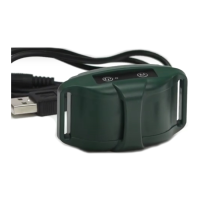
Overview of the bark collar's parts, including strap, prongs, charging port, and indicator lights.

Test The Product

Charge the Bark Control Collar

Details the process of charging the bark control collar using a PC, power bank, or adapter.

Power on the Bark Control Collar

Explains how to power on the bark control collar by pressing and holding the power button.

Set to Test Mode and Respond

Guides on setting the collar to Test Mode and describes the expected response to testing.

Put The Product on Your Pet

Attach the Strap and Fit the Collar

Provides instructions on attaching the TPU strap and fitting the collar snugly on the dog's neck.

Mode Setting

Switching Between Vibration Modes

Details how to switch between Vibration Mode and Strong Vibration Mode using the M button.

Indicator & Display

Understanding Indicators and Sensitivity

Explains Mode/Power indicators, sensitivity levels, and Test Mode display behavior.

How It Works

Operational Flow for Vibration Modes

Describes the step-by-step activation process for Vibration and Strong Vibration modes based on barking.

Frequently Asked Questions & Answers

Troubleshooting and Product Capabilities

Addresses common issues like non-response, false triggers, and clarifies product limitations and safety.

Customer Service and Contact Information

Provides details on how to reach customer service via text or email for further assistance.

TBI PRO Engineering V7 PRO Specifications

General IconGeneral
BrandTBI PRO Engineering
ModelV7 PRO
CategoryPet Care Product
LanguageEnglish

Related product manuals