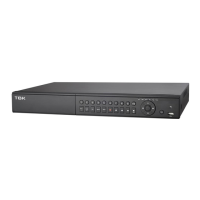
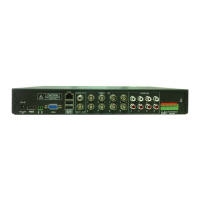
Need help?
Do you have a question about the TBK vision TBK-DVR1108 and is the answer not in the manual?
Compliance details for FCC regulations, including interference guidelines.
Information on CE marking and compliance with European directives like EMC and RoHS.
Procedures for powering the DVR on and off correctly.
Steps to activate the DVR and set an initial admin password.
How to configure and use a pattern for device login security.
Initial setup steps guided by the startup wizard.
Methods for recovering or resetting forgotten passwords.
Guide for adding and connecting IP cameras to the DVR.
Process for activating IP cameras before they can be added.
Steps to configure parameters for Pan, Tilt, Zoom (PTZ) cameras.
How to set up and manage PTZ camera presets, patrols, and patterns.
Setting up video encoding parameters for recording.
Setting up schedules for continuous, event, or motion-triggered recording.
How to set up recording triggered by motion detection events.
Setting up recording based on alarm inputs.
Configuring recording triggered by various VCA and other events.
General procedures for playing back recorded video files.
Configuring motion detection parameters and response actions.
Setting up handling methods for external sensor alarms.
Configuring detection and response for video loss events.
Setting up detection and response for video tampering.
Configuring actions to be taken when an alarm or exception occurs.
Configuring and using face detection features for alarms.
Setting up vehicle detection for traffic monitoring and license plate capture.
Configuring virtual lines to detect crossing events for people or objects.
Setting up detection for unauthorized entry into defined virtual regions.
Detecting objects entering a pre-defined virtual region.
Detecting objects exiting a pre-defined virtual region.
Configuring detection for objects loitering in a specific area.
Detecting instances of people gathering in a defined area.
Detecting objects moving at high speeds within a defined region.
Identifying and triggering alarms for illegal parking.
Detecting objects left unattended in a defined area.
Detecting when objects are removed from a defined region.
Detecting abnormal sound events like sudden increases or decreases.
Detecting image blur caused by lens defocus.
Detecting changes in the surveillance environment, like camera rotation.
Setting up basic network parameters like IP address and DNS.
Steps to initialize a new hard disk drive before use.
Defining privacy mask zones to block specific areas from view/recording.
Procedures for upgrading the DVR firmware via various methods.
Adding, deleting, and managing user accounts and permissions.
Solutions for common issues and problems encountered with the DVR.
 General
| Hard Drive Support | 1 SATA HDD |
|---|---|
| Hard Drive Capacity | Up to 6TB |
| Operating System | Embedded Linux |
| Video Input | 8 channels |
| Audio Output | 1 channel |
| Remote Viewing | Yes |
| Network Interface | RJ45 10/100Mbps |
| USB Interface | 2 USB 2.0 ports |
| Power Supply | DC 12V |


 To Next Page