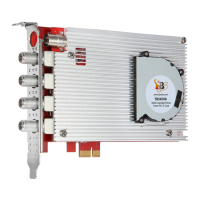
4.4.4. Astra cesbo:
There are detailed installation steps and interface settings on the Astra website,
please check for reference:
https://cesbo.com/en/astra/quick-start
https://cesbo.com/en/5.64/astra/web-interface
Commands for settings :
➢ Installation : choose the correct astra version you need to download , run
command:
➢ # wget http://cesbo.com/download/astra/xxx
➢ Grant authority: # chmod +x astra
➢ Copy Astra to /usr/bin : # cp astra /usr/bin
➢ Create a menu to store configuration files : # mkdir /ect/astra
➢ Create a configuration file : # vi astra.conf
➢ Purchase the Astra license, put the entire license file “license.txt”, which sent to
your email box under the menu of “/ect/ Astra".
➢ https://cesbo.com/orders/software/astra/buy/
➢ Run astra: # astra –c /ect/astra/astra.conf –p 8000 –daemon
Log into Astra Web UI to configure. The default user name/password is
"admin/admin"
http://server ip:8000
The Astra CSBO software should first be linked to the ADPater first. To receive
satellite signals, you must select "frontend 1" as follows:


 To Next Page
 Loading...