3.3. DVBDream installation.
To enjoy satellite TV or record video on PC, you still need to install player software
and right click to set the search parameters. TBS6508 is compatible with a lot of
Players such as TBSViewer, DVBDream, ProgDVB etc. Here we take DVBDream
as an example to illustrate.
3.3.1. Download the DVBDream software from our website ( www.tbsiptv.com--
download – DVB software ) , then install the DVBdream on your PC.
3.3.2. Setting for DVB-S2X/S2/S mode setting
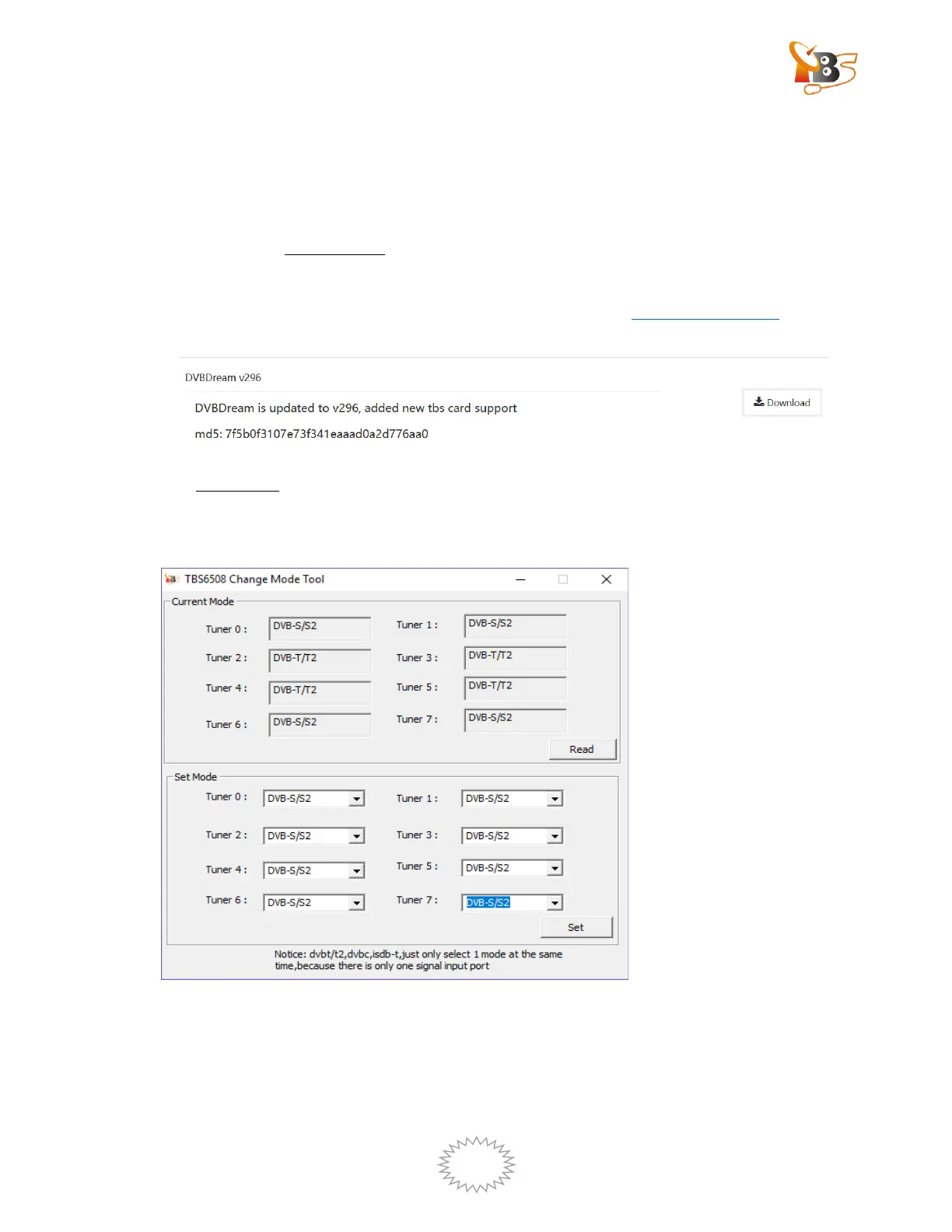
Please open Change mode tool and set the tuner mode as “DVB-S/S2”
Wait for device initialization to complete, about 1.5 minutes
Open DVBDream , the following window will pop up:


 To Next Page