
 To Next PageTo Next Page
 Need help?
Do you have a question about the TBS technologies Octa-Tuner TBS-6909 and is the answer not in the manual?
 General
| Tuner Type | DVB-S2/S |
|---|---|
| Number of Tuners | 8 |
| Input Connector | 8 x F-type |
| Interface | PCIe |
| Operating System Compatibility | Windows, Linux |
| Supported Modulations | QPSK, 8PSK, 16APSK, 32APSK |
| Power Consumption | 15W |
| Max Symbol Rate | 45Msps |
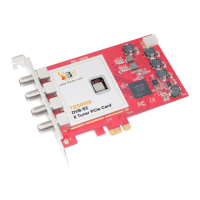
Ensure PC is disconnected. Insert TV card into a suitable PCIe slot, ensuring it fits tightly.
Details connecting Quad-LNB, Quattro-LNB, or single band signals for Multiswitch mode.
Create a configuration file 'options mxl58x mode = 1' for Normal Mode.
Create a configuration file 'options mxl58x mode = 2' for Unicable Mode.
Download TBS-6909 or TBS-6909-X driver from the website for your OS.
Start the setup.exe installation by double-clicking after downloading.
Download the TBS-Viewer application for enjoying satellite TV and recording.
Restart PC, open Terminal using 'sudo -s' command.
Use 'lspci -vvv | grep 6909' to detect the device.
Create a directory named 'tbsdriver' to organize driver files.
Install the 'git' package using 'apt-get install git'.
Clone 'media_build' and 'linux_media' repositories into the 'tbsdriver' directory.
Navigate to 'media_build' and run 'make dir DIR=../media'.
Compile the driver using 'make -j4' for parallel processing.
Install the compiled driver using 'make install'.
Download firmware using wget and extract it to /lib/firmware/.
Restart PC and use 'dmesg | grep frontend' to verify driver.
Connect the satellite cable to the LNB.
Use dvblast commands to lock TV channels from DVB-S signal.
