

EasyManua.ls Logo

TCAM T8000-I - User Manual

TCAM T8000-I
25 pages
Print Icon
To Next Page IconTo Next Page
Loading...
T8000-I smart gateway user manual Page 1 of 25
T8000- I smart
gateway user manual
ÓCopyright 2018, TCAM Technology Pte Ltd. All Rights Reserved.
This document (T8000-I smart gateway user manual) contains information that is proprietary to
TCAM Technology Pte Ltd. No part of this document may be copied, or reproduced in any form
or by any means, or transferred to any third party without prior written consent of TCAM
Technology Pte Ltd. The content of this document may be revised without prior notice
Question and Answer IconNeed help?

Do you have a question about the TCAM T8000-I and is the answer not in the manual?

Overview

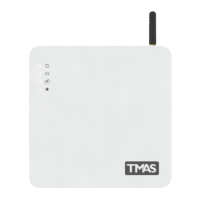
The TCAM T8000-I smart gateway is an industrial-grade device designed for comprehensive I/O handling, data logging, and embedded web management, suitable for smart home and industrial IoT applications. It complies with Singapore IDA TR-38 and TR-40 standards.

Function Description:

The T8000-I smart gateway is a plug-and-play device that, after simple configuration, can perform various functions including:

  • Data Logging: Records channel events, channel activity, analog input data, and user notifications.
  • Embedded Web Server: Provides a web interface for device management, configuration, and monitoring.
  • Alerts and Notifications: Sends SMS messages and email alerts based on triggered or normalized channel events.
  • Remote Monitoring and Control: Allows remote monitoring of device status, channel inputs, and control of outputs.
  • User Management: Supports registration of new user accounts, changing passwords, and editing user information.
  • Scheduling: Enables setting up schedules for users to receive alerts.
  • Network Connectivity: Supports Ethernet and Mobile Network (UMTS/HSPA+) for internet connection.

Important Technical Specifications:

  • General:
    • Application: Industrial M2M / IOT
    • CPU and OS: 34 bits Cortex A8 ARM / Linux OS
    • Memory: SDRAM 512MB / Flash 4GB
    • Unique App Module: I/O management and logging
    • SMS App Module: Yes
    • Em Web Configuration: Yes
    • SQL DBase Module: Yes
  • Network Specifications:
    • Ethernet: 10/100Mbps (RJ45)
    • Cellular (Optional): UMTS/HSPA+: 800/850,900,2100MHz
    • Cellular Antenna: 2dbi (Optional 5dbi with 3m cable ext antenna) via SMA Female (50Ω)
    • Internet Protocol: HTTP / MQTT / JSON
  • I/O Specifications:
    • I/O Channels: 8xDI, 4x AI, 2xDO
    • Serial Port: 1x RS232, 1x RS485 (optional)
    • Discrete Input (DI): Configurable NC/NO, Dry contact or TTL Signal
    • Analogue Input (AI): 0-10VDC 12bits ADC
    • Discrete Output (DO): Open drain, max 40Vdc 2A drain
  • Power Supply:
    • Supply Voltage: 6~32VDC
    • Battery Backup: 3.7V 2000mAH (2 hours typ.)
    • Power Adaptor: 230VAC / 12VDC 1A included
  • Mechanical:
    • Enclosure Material: Polycarbonate (White)
    • Dimension: 183x183x22 mm
    • Weight (Excl. accessories): 330g
    • Mounting: Wall/Panel Mount or Desktop
    • Operating Temperature: -25 to +85 °C
    • Relative Humidity: 90%

Usage Features:

  • Easy Setup: The device comes with all necessary accessories, including an antenna and power adapter. SIM card insertion is straightforward, requiring a flat screwdriver to open the casing and gently pushing the SIM card until it snaps into place.
  • LED Indicators:
    • Power LED: Indicates if the device is powered ON/OFF.
    • Cloud LED: Shows network manager status (waiting, running, connected).
    • Event LED: Lights up for 2 seconds when an event occurs on DI, DO, or AI channels.
    • Alarm LED: Indicates if any channel input is in an alarm state.
  • Web Interface (Embedded Server): Accessible via a web browser (e.g., https://192.168.1.100/Gateway/Login.php).
    • Dashboard: Provides an overview of input, output, analog, and door access statuses. Input channels can be NORMAL or TRIGGER, output channels ON or OFF, analog channels display readings (e.g., 31.62 °C), and door access shows LOCKED or UNLOCKED status.
    • Data Log: Allows viewing of historical data for channel events, channel activity, analog inputs, and user notifications.
    • Device Info: Configure device name, location, and phone number.
    • Channel Settings:
      • Digital Input (DI): Enable/disable channels, define SMS messages for triggered/normalized states, configure noise filter (milliseconds), assert output behavior, resend count, and resend interval for alerts.
      • Digital Output (DO): Enable/disable channels, define SMS messages, configure output type (No Invert/Invert), default assert delay, resend count, and resend interval.
      • Analog Input (AI): Enable/disable channels, define SMS messages, configure reading scale, reading offset, valid reading range, unit, logging interval, noise filter, assert output behavior, resend count, and resend interval.
      • Door Access: Set door name, enable door features, select digital output lock, input type, noise filter, and digital input door sensor. Configure alert timing for "door open too long," lock door after opening, and resend count/interval for alerts.
    • User List: View and manage users, including adding new users, editing user information, and configuring schedules for receiving alerts.
    • Network Settings: Configure Ethernet (WAN/LAN, Static/DHCP IP settings) and Mobile Network (SIM PIN, APN, username, password). Also allows setting up email server for alerts.
  • User Management:
    • Register New Account User: Create new user accounts with username, display name, password, and email address. Username and display name must be 5-25 alphanumeric characters, password 7-50 characters.
    • Change Login User Password: Update user passwords.
    • Edit User Information: Modify user profiles, including personal details and account settings.

Maintenance Features:

  • Reset Network to Default: Power off the T8000, open the casing, wait 10 seconds, then press and hold the S2 button until NET, I/O, and ALM LEDs light up (approximately 20 seconds). This restores default network settings.
  • Firmware Updates: While not explicitly detailed, the embedded server and web interface suggest potential for remote updates or configuration changes.
  • Troubleshooting: LED indicators provide quick visual cues for power, network connectivity, event occurrences, and alarm states, aiding in initial troubleshooting.
  • Support: Contact information for sales and technical enquiries is provided, including telephone, fax, corporate URL, and email addresses for general enquiries and technical support.

TCAM T8000-I Specifications

General IconGeneral
BrandTCAM
ModelT8000-I
CategoryGateway
LanguageEnglish