
 Need help?
Do you have a question about the TCAM Tmas T61 and is the answer not in the manual?
Lists related documents for the T61 Smart Modem.
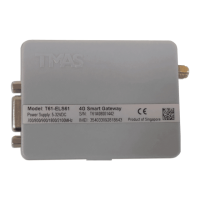
Describes the information on the T61 Smart Modem product label.
Lists the standards the T61 is certified for (Safety, Emission, EMC, etc.).
Provides a quick overview of the T61's key technical specifications.
Illustrates the internal components and connections of the T61 Smart Modem.
Explains the dual connection channels for data and command for enhanced functionality.
Details the automatic recovery features for connection lost scenarios.
Describes how the device updates its IP address using a domain name.
Lists the main hardware interfaces for power, antenna, SIM, and data transfer.
Details the pin assignments for the DB9 connector for RS232 and RS485.
Explains the power supply and I/O pins on the 4-pin Micro-Fit connector.
Describes how to insert and secure the SIM card in the device.
Explains the meaning of the device's status LED indicator.
Details the connection for an external antenna via the SMA connector.
Provides the physical dimensions and drawings of the T61 Smart Modem.
Explains how to mount the T61 Smart Modem using the provided clip.
Lists the contents of the T61 Smart Modem Kit Set.
Shows pin-out diagrams for connecting the T61 modem to a Landis & Gyr Meter.
Provides step-by-step instructions for unpacking and initial setup of the T61 Smart Modem.
Guides the user through the initial serial port configuration for the T61 Smart Gateway.
Instructions for switching between Smart Modem and Normal Modem modes.
Steps to change the device to Normal Modem Mode.
Steps to change the device back to Smart Modem Mode.
General guidelines and detailed configuration options for Smart Modem mode.
Covers viewing settings, saving, and rebooting procedures.
Configuration for SIM card and network operator parameters like APN.
Settings related to device ID, listen port, and packetization.
Configuration for the primary and backup data center servers.
Configuration for the command line connection and heartbeat.
Configuration of serial interface parameters like baud rate and parity.
Settings for connection recovery and activation options.
Configuration of digital/analog inputs and digital outputs.
Basic utility functions for device management.
Lists the factory default settings for the T61 smart gateway.
Lists SMS commands for device control and configuration.
Compares AT commands between T61 and previous models in Normal Modem Mode.
Compares T61 Smart Modem features with TMN-51T.
Explains how to update the T61 device firmware via direct wire or over-the-air.
Explains how to use and configure the digital input for applications.
Covers optional SMS control and configuration features like reset and digital output.
SMS command to configure data and command center server IP addresses and ports.

 To Next Page
 General