EasyManua.ls Logo

TCAM TMAS TMN-5000i - User Manual

TCAM TMAS TMN-5000i
12 pages
Print Icon
To Next Page IconTo Next Page
Loading...
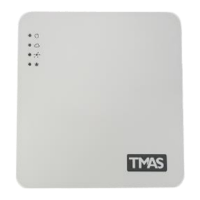
TMN-5000i-V1 TMN-5000i Hardware User Manual (Ver.1) 1
SMS Controller
TMN-5000i Hardware User Manual
(Ver.1)
Copyright 2001-2018, TCAM Technology Pte Ltd. All Rights Reserved.
This document (TMN-5000i-V1) contains information that is proprietary to TCAM Technology Pte
Ltd. No part of this document may be copied, or reproduced in any form or by any means, or
transferred to any third party without prior written consent of TCAM Technology Pte Ltd. The content
of this document may be revised without prior notice.
Question and Answer IconNeed help?

Do you have a question about the TCAM TMAS TMN-5000i and is the answer not in the manual?

Summary

Introduction

Product Overview

Accessories

LED Indicators

TMN-5000 i Key Features and Specifications

Hardware Configuration

Step 1: Insert SIM Card

Guides on how to open the device casing and correctly insert the SIM card.

Step 2: Connect Backup Battery

Instructions for connecting the backup battery to ensure operation during power failures.

Step 3: Connect Input;Output (I;O)

Explains how to connect input devices and output devices to the unit's I/O terminals.

Step 4: Install Antenna

Details the process for connecting the provided 3G antenna to the device.

Step 5: Connect Programming Cable to PC

Guides on connecting the device to a PC for initial configuration using a programming cable.

Step 6: Configure TMN-5000 i on PC

Explains device configuration using TMAS PC Manager software via serial connection.

Alarm Control and Output Control

I;O Terminals

Describes digital input and output terminals and their configuration for alarm notifications.

Alarm Control

Details alarm triggering, notification sending, and acknowledgment procedures.

Output Control

Explains the SMS format and procedure for controlling the device's output channels.

Appendix A

Technical Support

TCAM TMAS TMN-5000i Specifications

General IconGeneral
BrandTCAM
ModelTMAS TMN-5000i
CategoryController
LanguageEnglish