EasyManua.ls Logo

TCi EZ-TCU - User Manual

TCi EZ-TCU
21 pages
Print Icon
To Next Page IconTo Next Page
Loading...
EZ-TCU™ Transmission Control
Unit
Thank you for choosing TCI® products; we are proud to be your manufacturer of choice. Please read
this instruction sheet carefully before beginning installation, and also take a moment to review the
included limited warranty information.
INSTALLATION
System Components Overview
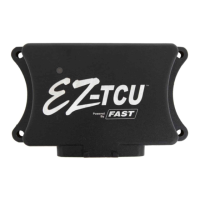
The EZ-TCU™ system is made up of several main components. A TCU (Transmission Control Unit),
a wiring harness, a handheld user interface, and an RPM module. Please read through all of the
installation notes before beginning the installation.
TCU
TCU Installation Notes:
The TCU is water tight when connected to the wiring harness. It can be mounted in the engine
compartment or in the vehicle’s interior. It is good practice to mount the TCU with the
connector facing down. This way, there is less chance of moisture getting into the TCU if it
needs to be disconnected in wet conditions.
The TCU should not be mounted close to other electrically “noisy” components. In particular,
keep good spacing (try for 2 feet minimum) from ignition components (ignition boxes, coils,
distributors, etc.)
If mounting in the engine compartment, selecting a location towards the rear will make it easier
to route the communications cable to the interior to allow the handheld to be monitored while
driving. Optional, longer communications cables are available if needed.
There is an LED on the front face of the TCU – the side with the logo. It will flash if the on-
board diagnostics detects a problem (the LED is lit solid when the TCU is powered up and
working normally). To take advantage of this feature, the TCU will need to be mounted so that
the front face of the TCU is visible. The handheld will also indicate if any faults have been
detected.
Question and Answer IconNeed help?

Do you have a question about the TCi EZ-TCU and is the answer not in the manual?

Summary

INSTALLATION

TCU Mounting and Installation Notes

Guidelines for mounting the Transmission Control Unit (TCU) and key installation considerations.

Wiring Harness and Connections

Key Wiring Harness Connections

Details of essential wiring harness connections like battery, switched power, and transmission.

System Component Interfaces

Transmission Signal and Speed Inputs

Connecting output shaft speed, throttle position (TPS), and tachometer signals.

RPM Module Configuration and Signal

RPM Signal Source Options

Two methods for obtaining an RPM signal: processed tach or inductive coil.

Installation Sequence and Setup Overview

Step-by-Step Installation Sequence

A general outline of the entire installation process from harness to TCU connection.

Initial Setup Wizard Procedure

Overview of the handheld setup wizard to configure the TCU.

Handheld Interface and Live Data

Setup Wizard Configuration Details

Key Setup Wizard Prompts

Details on prompts like Transmission Model, Tire Diameter, and Gear Ratio settings.

Throttle Position Sensor Calibration

Calibrating the Throttle Position Sensor (TPS) for accurate throttle input.

Advanced Options - Speedometer Tuning

Speedometer Pulse Per Mile (PPM) Setting

Setting the correct pulse per mile (PPM) for your speedometer.

Fine-Tuning Speedometer Readings

Adjusting speed readings to compensate for tire size and gear ratio errors.

Advanced Options - Performance Tuning

Shift Speed and RPM Limit Adjustments

Adjusting max shift RPM and low-speed shift points for desired performance.

Advanced Options - Shift Strategy & Lockup

Error Codes and Mode Settings

Error Code Monitoring and Clearing

How the TCU monitors faults and how to read/clear error codes via handheld.

System Features and Operation Modes

Transmission Control and Engagement

System Status and Troubleshooting

TCi EZ-TCU Specifications

General IconGeneral
Product TypeControl Unit
Current Rating5A
ProtectionOvercurrent, Overvoltage, Short Circuit
Communication InterfaceCAN
CertificationCE