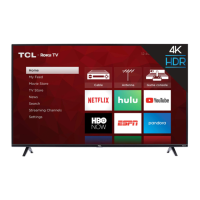
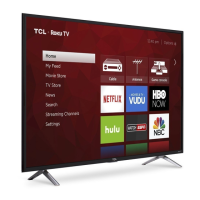
This document is a user manual for the TCL S-Series S310G/S350G Google TV, providing instructions for setup, usage, and warranty information.
Function Description:
The TCL S-Series S310G/S350G is a Smart TV powered by Google TV, designed for home entertainment. It offers a range of features including streaming capabilities, access to various apps, and voice control via the remote. The TV can be set up either with its included stands for tabletop placement or mounted on a wall (wall mount hardware not included). It supports multiple input sources for connecting external devices like cable boxes, Blu-ray players, and gaming consoles. The Google TV platform allows for a personalized home screen, streaming app lineup, and access to movies and other content.
Important Technical Specifications:
- Model Series: S-Series (S310G/S350G)
- Operating System: Google TV
- Input Compatibility:
- Antenna/Cable: 480i, 480p, 720p (NTSC, ATSC, and QAM formats)
- Composite Video: 480i
- HDMI: 480i, 480p, 720p/60Hz, 1080i/p/50Hz, 1080p/60Hz
- VESA Wall Mount Compatibility:
- 32" Models: VESA 100x100 (4 M4x10mm screws)
- 40"/43" Models: VESA 100x100 (4 M6x12mm screws)
- Broadcasting System: US System NTSC-M, ATSC standard (8VSB), QAM
- Receiving Channels: VHF2-13, UHF14-69, CATV (various ranges: 14-36 (A)-(W), 37-59 (AA)-(WW), 60-85 (AAA)-(ZZZ), 86-94 (86)-(94)95-99 (A-5)-(A-1), 100-135 (100)-(135), 01 (4A))
- Tuner Type: Frequency synthesized
- Operating Temperature: 5°C to 35°C (41°F to 95°F)
- Operating Humidity: 20% to 80%, non-condensing
- Storage Temperature: -15°C to 45°C (5°F to 113°F)
- Storage Humidity: 10% to 90%, non-condensing
- Connectivity:
- USB Port (for photos, music, movies)
- Ethernet Port (for home internet router or switch)
- Antenna/Cable In (for outdoor VHF/UHF antenna or Cable TV feed)
- Optical (Digital Audio Out) (for external digital audio system)
- HDMI Ports (multiple, including one HDMI ARC port for audio return channel)
- AV In adapter (for analog audio/video devices)
- Headphone Out (for headphones or external speakers)
- Remote Control: Features a remote microphone for Google Assistant voice commands, dedicated buttons for power, settings, watchlist, home, back, live guide, mute, virtual keyboard, quick panel, and TCL home. Requires 2 AAA batteries.
- Power: Connects to a wall outlet via an included power cable. Features a low-power standby mode; complete power off requires disconnecting the power cord.
Usage Features:
- Easy Setup: The manual guides users through a step-by-step setup process, including attaching stands or preparing for wall mounting, connecting power, and powering the remote.
- Google Home App Integration: Users can quickly set up the TV using the Google Home app on an Android or iOS phone by scanning a QR code.
- On-Screen Guided Setup: Alternatively, users can follow on-screen instructions directly on the TV for setup, even without a wireless network connection (though smart features require internet).
- Smart TV Capabilities: Requires a free Google account, a free TCL account, and a reliable broadband internet connection to access all smart features and services.
- Voice Control: The remote control includes a microphone and a Google Assistant button, allowing users to search content and control the TV using voice commands after pairing the remote.
- Parental Control: Features a personal password (default 1234, resettable to 0423 if forgotten) to manage access.
- Text-to-Speech (TTS): Instructions are provided to enable or disable the TalkBack feature for accessibility.
- External Device Connectivity: Supports a wide range of external devices through various input ports, including HDMI for high-quality audio/video, USB for media, and Ethernet for internet.
- Remote Control Functions: The remote is designed for intuitive navigation of on-screen menus and includes dedicated buttons for common functions.
- Optional Sound Bar Integration: The manual promotes TCL S-Series Sound Bars for an enhanced home theater experience, offering features like DTS Virtual:X, Bluetooth streaming, wireless subwoofer, and surround sound.
Maintenance Features:
- Product Registration: Users are encouraged to register their product via text message (photo of camera icon to 71403) or online (register.tcl.com) to protect their purchase and access TCL Protection Plans.
- TCL Protection Plans: Optional plans offer extended manufacturer coverage, priority service, product replacement, genuine TCL parts & service, no deductible, pixel repair and burn-in coverage, accidental damage protection, complimentary remove & reinstall (for 65"+ TVs), and remote replacement.
- Troubleshooting Guide: The manual includes a troubleshooting section for common issues such as connecting to a wireless network, connecting cable/antenna, programming universal remotes, accessing parental controls, and turning Text-to-Speech on/off.
- Battery Caution & Disposal: Provides guidelines for battery usage (alkaline type, new batteries of the same type, correct polarity, no mixing old/new or different types) and emphasizes proper recycling/disposal.
- Cleaning Instructions: Recommends cleaning the TV only with a dry cloth.
- Ventilation: Advises maintaining specific ventilation spaces around the TV (2 inches from the rear cover to the wall, 1 inch from other surfaces) to prevent overheating and ensure product longevity.
- Power Cord Care: Instructs users to protect the power cord from being walked on or pinched, tie it up when not in use, and replace damaged cords with manufacturer-specified ones.
- Safety Warnings: Includes warnings regarding electric shock, fire, moisture exposure, unstable placement, and proper installation of wall mounts.
- Warranty Information: Details the TCL North America Limited Warranty, covering defects in materials or workmanship for a specified period (one year for non-commercial use, six months for commercial use). It outlines what the warranty covers, what TCL will do (repair or replace), and how to obtain service. It also lists exclusions from warranty coverage, such as damage from misuse, improper installation, acts of nature, and cosmetic damage.
- Product Information Record: Provides space to record the model number, purchase date, serial number, and dealer information for warranty and service purposes.

 Need help?
 General

 To Next Page