Need help?
Do you have a question about the TCL ALTO 3 and is the answer not in the manual?
Details the power, source, and volume buttons on the soundbar unit.
Identifies the USB, AUX, Optical, and power connectors on the soundbar unit.
Explains how to connect the soundbar to a TV using an optical cable and power cord.
Describes connecting the soundbar to a TV using an AUX cable and power cord.
Covers installing batteries and using the remote control for various functions.
Guides on how to pair a mobile device with the soundbar via Bluetooth for audio streaming.
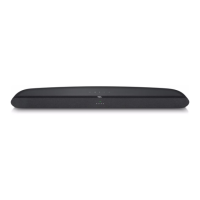
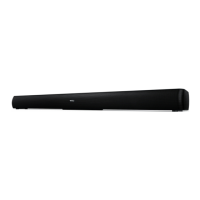
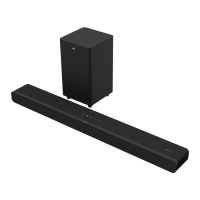
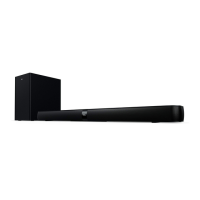
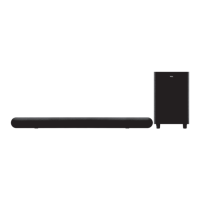
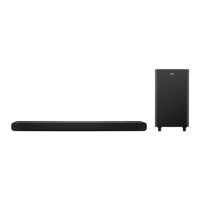
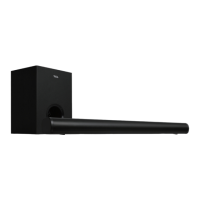
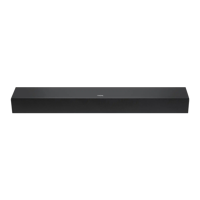
The TCL Alto 3 is a 2.0 Channel Sound Bar with Dolby Audio, designed to enhance your audio experience, particularly when paired with a television. This quick start guide provides essential information for setting up and using the sound bar.
The TCL Alto 3 Sound Bar serves as an external audio output for your television or other audio sources, delivering clearer and more immersive sound than typical built-in TV speakers. It supports Dolby Audio, which provides a rich, clear, and powerful sound experience. The sound bar features multiple input options, including Optical, AUX, Bluetooth, and USB, allowing for versatile connectivity with various devices.
The main unit of the sound bar houses the primary audio components and controls. On the top panel, you'll find a power button, source button, and volume buttons. The power button allows you to turn the device on or off with a short press, and a long press will reset it to factory default settings. The source button enables you to switch between the available audio input modes: AUX, Bluetooth (BT), Optical (OPT), and USB. The volume buttons allow you to increase or decrease the sound level to your preference.
On the rear panel of the sound bar, you'll find the physical input connectors. These include a USB Type A connector for playing audio from USB devices, an AUX input connector for connecting devices via a 3.5mm audio cable, an Optical input connector for digital audio connection to a TV, and an AC input power connector for connecting the sound bar to a power supply.
The sound bar also features an LED display that provides visual feedback on its current status. Different LED colors and flashing patterns indicate various modes, such as standby (Red), AUX mode (Green), Bluetooth mode (Blue), OPT mode (Yellow), and USB mode (Cyan). Additionally, specific LED flashes indicate selected sound modes like MOVIE (White LED flashes once), MUSIC (Green LED flashes once), and TV (Yellow LED flashes once). If the sound bar is muted, the Red LED will keep flashing.
Setting up the TCL Alto 3 Sound Bar is straightforward. The ideal placement for the sound bar is centered underneath your TV, ensuring optimal sound projection.
There are two primary ways to connect the sound bar to your TV: Optical and AUX. The Optical connection is generally recommended for its digital audio quality. To use the Optical connection, you connect one end of the supplied Optical cable to the Optical output port on your TV and the other end to the Optical input connector on the sound bar. For the AUX connection, you would use an AUX cable (not supplied) to connect your TV's headphone output to the AUX input on the sound bar. After connecting the audio cable, you then connect the sound bar to a power supply using the supplied AC power cord.
The sound bar comes with a remote control for convenient operation. Before using the remote, you need to install or replace two 1.5V AAA Alkaline batteries. The remote control features dedicated buttons for power, mute/unmute, volume control, source selection, and sound mode selection. It also includes playback controls (play/pause, next, previous) for Bluetooth and USB modes, and a button to activate Bluetooth pairing or disconnect a paired device.
Pairing the sound bar with a Bluetooth device allows you to stream music wirelessly from your mobile phone or other Bluetooth-enabled devices. To initiate pairing, you press the power button on the remote, then the Bluetooth button, and then press and hold the Bluetooth or play/pause button. The sound bar will emit a sound signal, and a blue light will flash, indicating it's ready for pairing. You then activate Bluetooth on your mobile device, select "TCL Alto 3" from the list of available devices, and once connected, you'll hear a sound signal confirming successful pairing. If you wish to re-pair with a different device, you simply repeat the pairing process.
The sound bar offers three distinct sound modes (equalizer settings) to optimize your listening experience: MOVIE, MUSIC, and TV. You can switch between these modes using the dedicated buttons on the remote control, allowing you to tailor the audio output to the content you are watching or listening to.
The TCL Alto 3 Sound Bar is designed for ease of use and minimal maintenance. To ensure its longevity and optimal performance, it's important to keep the sound bar in a dry and well-ventilated environment.
For cleaning, the manufacturer recommends wiping the sound bar gently with a soft, dry cloth. It is crucial to avoid using water or any other cleaning agents, as these could damage the device's internal components or exterior finish.
In case of common issues, the manual provides a FAQ section. For instance, if you experience an "echo effect" when both the sound bar and TV are on, especially when using optical or AUX connections, the solution is to simply mute the TV speaker. The sound bar is compatible with any TV that has an Optical audio output (TOSLink) or a headphone output.
For further support or assistance, TCL provides customer support through their website (support.tclusa.com or support.tclcanada.com) and a toll-free number (1-877-300-9223). The manual also includes a cautionary note to "TAKE CARE WHEN REMOVING THE SOUND BAR," implying that it should be handled with care during relocation or uninstallation to prevent damage.
 General
| Type | Soundbar |
|---|---|
| Channels | 2.0 |
| Model Number | TS3100 |
| Subwoofer | No |
| Brand | TCL |
| Bluetooth Version | 4.2 |
| Connectivity | Bluetooth, AUX, USB |
| Sound Modes | Movie, Music |

 To Next Page