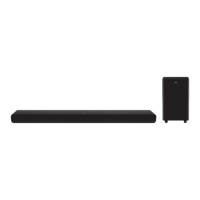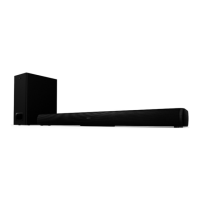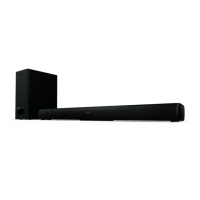
EasyManua.ls Logo

TCL TS3100 - User Manual

TCL TS3100
16 pages
Print Icon
To Next Page IconTo Next Page
Loading...
USER MANUAL
TS3100
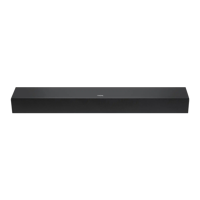
SOUND BAR SYSTEM

Questions and Answers

  • M
    Madison BatesJul 28, 2025
    Why is my TCL TS3100 Speaker System remote control not working?
    • R
      rodriguezmeganJul 28, 2025
      Your TCL Speaker System remote control might not be working due to several reasons. It could be that there are no batteries in the remote, or the batteries are out of charge. In this case, install two AAA/1.5V batteries or replace the battery with a new one. Also, ensure that the remote control is pointed towards the remote control sensor and is within its operating area. If the unit is shut down, switch it off and disconnect it from the AC outlet, then power it on again.
  • M
    matthewhammondAug 8, 2025
    What to do if there is no sound from my TCL TS3100 or the sound is distorted?
    • M
      Michelle WilliamsAug 8, 2025
      If you are experiencing no sound or distorted sound from your TCL Speaker System, there are a few things you can check: * Ensure the audio cables are securely connected. * Increase the volume, as it might be set to the minimum level. * Press the [MUTE] button on the remote control to ensure the sound is not switched off. * Press the [PLAY/PAUSE] button.
  • G
    Greg HansenAug 17, 2025
    How to fix a TCL TS3100 with no power?
    • C
      charles92Aug 17, 2025
      If your TCL Speaker System has no power, the AC power cord might not be properly connected to the power supply. Please check that the AC power cord is securely connected.

Summary

Features

Important Safety Instructions

Panel Overview

Front and Side Panel Components

Identifies indicator lights, sensors, and physical controls on the front and side panels.

Rear Panel Connections

Connections

Analog Audio Inputs (AUX;Optical)

Instructions for connecting audio sources via AUX and Optical digital inputs.

Bluetooth Connectivity

Steps for pairing and using the soundbar with Bluetooth-enabled devices.

Remote Control

Operation and Battery Installation

Instructions for remote control operation, range, and battery installation.

Remote Control Functions

Detailed list and description of buttons and their functions on the remote control.

Basic Playback Operation

Troubleshooting Guide

Product Specifications

TCL TS3100 Specifications

General IconGeneral
Audio decodersDolby Digital
Equalizer modesMovie, TV, Music
RMS rated power80 W
Audio output channels2.0 channels
Audio Return Channel (ARC)Yes
Peak Music Power Output (PMPO)60 W
Number of speakers2
Number of tweeter drivers1
Tweeter diameter (imperial)1.75 \
Mid-range driver diameter (imperial)3.94 \
Subwoofer includedNo
Display typeLED
Product colorBlack
Volume controlButtons
Country of originChina
Audio formats supportedMP3
Operating temperature (T-T)0 - 45 °C
Consumer Electronics Control (CEC)T-link
Bluetooth codecA2DP, AVRCP
Bluetooth version4.2
HDMI ports quantity0
USB 2.0 ports quantityUSB 2.0 ports have a data transmission speed of 480 Mbps, and are backwards compatible with USB 1.1 ports. You can connect all kinds of peripheral devices to them.
Connectivity technologyWired & Wireless
AC input voltage100 - 240 V
AC input frequency50 / 60 Hz
Soundbar power consumption15 W
Power consumption (standby)0.5 W
Package typeBox
Package depth155 mm
Package width700 mm
Package height125 mm
Package weight2300 g
Cables includedAC
Number of products included1 pc(s)
Pallet height2000 mm
Pallet length1200 mm
Pallet weight315000 g
Quantity per pallet105 pc(s)
Number of layers per pallet15 pc(s)
Master (outer) case GTIN (EAN/UPC)8720568100043
Pallet net length800 mm
Analog audio input3.5
Sustainability certificatesCE
Remote control battery typeAAA
Weight and Dimensions IconWeight and Dimensions
Depth95 mm
Width600 mm
Height61 mm
Cord length1.5 m
Soundbar weight1700 g
Subwoofer weight- g

Related product manuals