The TDS TV+ is a comprehensive entertainment system designed to unify live TV, streaming apps, and recorded content into a single, intuitive platform. It aims to provide a seamless and enjoyable television viewing experience, offering advanced features for navigation, content discovery, and parental control.
Function Description:
The TDS TV+ system serves as a central hub for all your television entertainment. It allows users to watch live TV, access a wide array of streaming applications (such as Netflix, YouTube, Starz, Showtime Anytime, HBO Max, and Vudu), and manage recorded content through its Cloud DVR functionality. The system integrates these diverse content sources, making it easy to search for and access desired shows and movies without switching between different inputs or devices. It also extends its functionality to mobile devices and other streaming platforms through the TDS TV+ App, enabling in-home and on-the-go viewing.
Important Technical Specifications:
- Receiver Compatibility: Requires compatible equipment.
- Wireless Connectivity: For Wi-Fi usage, a wireless router with 802/11ac Wi-Fi is necessary.
- Receiver Limits: A minimum of one receiver and a maximum of ten receivers are allowed per account.
- Cloud DVR: Included with TDS TV+, requires a TDS TV+ Receiver and an optional monthly DVR storage fee.
- Recording Capacity: Offers three levels of DVR storage capacity.
- Simultaneous Recordings: Up to 10 programs can be recorded simultaneously.
- Network Recordings Expiration: A limited number of network recordings will expire automatically after 90 days.
- Streaming Bandwidth: Streams are provisioned over your internet connection; bandwidth may restrict resolution and the number of concurrent TV streams.
- App Compatibility: Supports various streaming apps like Netflix, YouTube, Starz, Showtime Anytime, HBO Max, and Vudu. More apps are planned for future updates.
- Mobile App Devices: The TDS TV+ app can be downloaded on up to 5 phones, tablets, or streaming devices.
- Concurrent Mobile Streams: Only three TDS TV+ streams can be watched concurrently on mobile devices.
- Program Guide: Displays up to 2 weeks of advanced, scheduled programming and up to 72 hours of past programming.
Usage Features:
- Unified Interface: Combines live TV, streaming apps, and recorded content on a single Home Screen with a Navigation Bar and SmartBar.
- Intuitive Navigation: The remote control features a TiVo button for quick access to the Home Screen and recorded content, a Navigation Ring for menu navigation, and an OK button for selection and pause/play.
- Voice Search (Google Assistant Integration): Allows users to control the TV and search for content using voice commands (e.g., "tune to channel 5," "search for Hallmark Movies," "launch Spotify app").
- Viewing Controls: Provides convenient features like Start Over (restarts a show from the beginning), Replay (skips back 7 seconds), Rewind, Pause/Play, Forward, Advance (skips forward 30 seconds), and Go to Live (jumps to current live show point).
- On-Screen Guide: A comprehensive program guide allows users to browse scheduled and past programming, with options to customize favorite channels. A mini guide is also available while watching TV.
- My Shows: Lists all saved video content, including TV recordings, on-demand shows, and streaming content from apps.
- OnePass Search and Recording: Gathers all available episodes of a series (streaming, broadcast, or on-demand) and adds them to My Shows. It can also find sports matches by team name, league, location, nickname, or abbreviation.
- SmartBar: Predicts shows users may be interested in based on viewing habits, offering quick access to recommended content.
- TV Everywhere: Allows users to watch programming away from home (within the U.S.) by accessing programmer websites or downloading content provider apps and logging in with TDS Online Account credentials.
- TDS TV+ App: Enables in-home streaming on phones, tablets, and other streaming devices.
- Parental Controls: Allows users to restrict content by rating (movie and TV), hide adult content, and set a 4-digit PIN for access. These controls can be set on each device.
- Thuuz Excitement Ratings: Displays real-time excitement ratings for games, helping users decide what to watch.
- Online Account Management: Users can manage their account online at tdstelecom.com/myaccount to access TV Everywhere, add devices, pay bills, add users, and reset passwords.
- Refer-a-Friend Program: Offers bill credits for referring new customers to TDS services.
Maintenance Features:
- Help Screens: Built-in help screens accessible from the Home screen (System & Account > Help) provide general troubleshooting information.
- Online Support: Dedicated customer service portal at tdstelecom.com/tvplus-support for online assistance.
- Customer Support Hotline: Direct phone support available by calling 1-866-44-TDSTV (1-866-448-3788).
- Equipment Return Policy: Provided equipment must be returned upon service termination to avoid unreturned equipment charges. Return shipping charges may apply.
- PIN Reset: If a Parental Controls PIN is forgotten, users must contact TDS TV+ Support for a reset.
- Account Management: The TDS Online Account allows users to manage their registered devices, including viewing and removing them.
- Software Updates: The system is designed to receive future updates for additional apps and features.

 Need help?
 General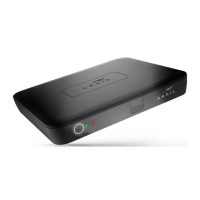

 To Next Page


