EasyManua.ls Logo

Teac A-650 - Control Panel Functionality Checks; Pushbutton Control Operation Checks

Teac A-650
36 pages
Print Icon
To Next Page IconTo Next Page
To Previous Page IconTo Previous Page
Loading...
5-12.
PUSHBUTTON
CONTROL
CHECKS
2.
2.
3.
3.
4.
4.
2.
3.
2.
3.
2.
3.
TEAC
A-650
Stereo
Cossette
Deck
m
rDOLBY
NR
t
LIMITER
BIAS
EQ
oa
,.
b
EJECT
STOP
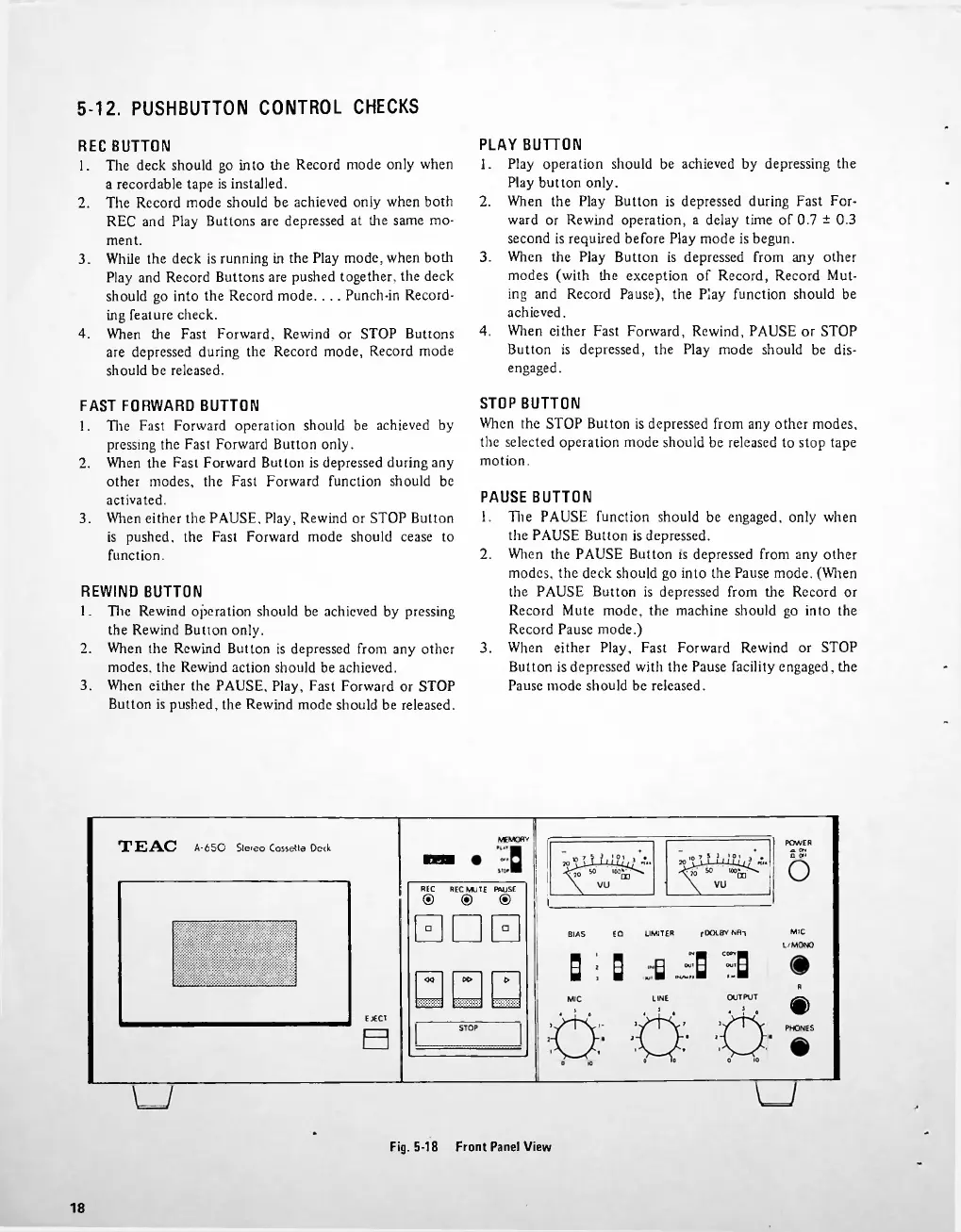
Fig.
5-18
Front
Panel
View
18
□□□
The
Fast
Forward
operation
should
be
achieved
by
pressing
the
Fast
Forward
Button
only.
When
the
Fast
Forward
Button
is
depressed
during
any
other
modes,
the
Fast
Forward
function
should
be
activated.
When
either
the
PAUSE,
Play,
Rewind
or
STOP
Button
is
pushed,
the
Fast
Forward
mode
should
cease
to
function.
Tire
Rewind
operation
should
be
achieved
by
pressing
the
Rewind
Button
only.
When
the
Rewind
Button
is
depressed
from
any
other
modes,
the
Rewind
action
should
be
achieved.
When
either
the
PAUSE,
Play,
Fast
Forward
or
STOP
Button
is
pushed,
the
Rewind
mode
should
be
released.
Play
operation
should
be
achieved
by
depressing
the
Play
button
only.
When
the
Play
Button
is
depressed
during
Fast
For
ward
or
Rewind
operation,
a
delay
time
of
0.7
±
0.3
second
is
required
before
Play
mode
is
begun.
When
the
Play
Button
is
depressed
from
any
other
modes
(with
the
exception
of
Record,
Record
Mut
ing
and
Record
Pause),
the
Play
function
should
be
achieved.
When
either
Fast
Forward,
Rewind,
PAUSE
or
STOP
Button
is
depressed,
the
Play
mode
should
be
dis
engaged.
The
PAUSE
function
should
be
engaged,
only
when
the
PAUSE
Button
is
depressed.
When
the
PAUSE
Button
is
depressed
from
any
other
modes,
the
deck
should
go
into
the
Pause
mode.
(When
the
PAUSE
Button
is
depressed
from
the
Record
or
Record
Mute
mode,
the
machine
should
go
into
the
Record
Pause
mode.)
When
either
Play,
Fast
Forward
Rewind
or
STOP
Button
is
depressed
with
the
Pause
facility
engaged,
the
Pause
mode
should
be
released.
STOP
BUTTON
When
the
STOP
Button
is
depressed
from
any
other
modes,
the
selected
operation
mode
should
be
released
to
stop
tape
motion.
MIC
L/MONO
R
<s>
PHONES
The
deck
should
go
into
the
Record
mode
only
when
a
recordable
tape
is
installed.
The
Record
mode
should
be
achieved
only
when
both
REC
and
Play
Buttons
are
depressed
at
the
same
mo
ment.
While
the
deck
is
running
in
the
Play
mode,
when
both
Play
and
Record
Buttons
are
pushed
together,
the
deck
should
go
into
the
Record
mode.
.
.
.
Punch-in
Record
ing
feature
check.
When
the
Fast
Forward,
Rewind
or
STOP
Buttons
are
depressed
during
the
Record
mode,
Record
mode
should
be
released.
POWER
xx
CH
n
o»>
REC
BUTTON
1.
PLAY
BUTTON
1.
FAST
FORWARD
BUTTON
1.
REWIND
BUTTON
1.
PAUSE
BUTTON
1.
MEMORY
REC
REC
MUTE
PAUSE
®
®
®
HOH

Related product manuals