- 12 -
Listening to Tape
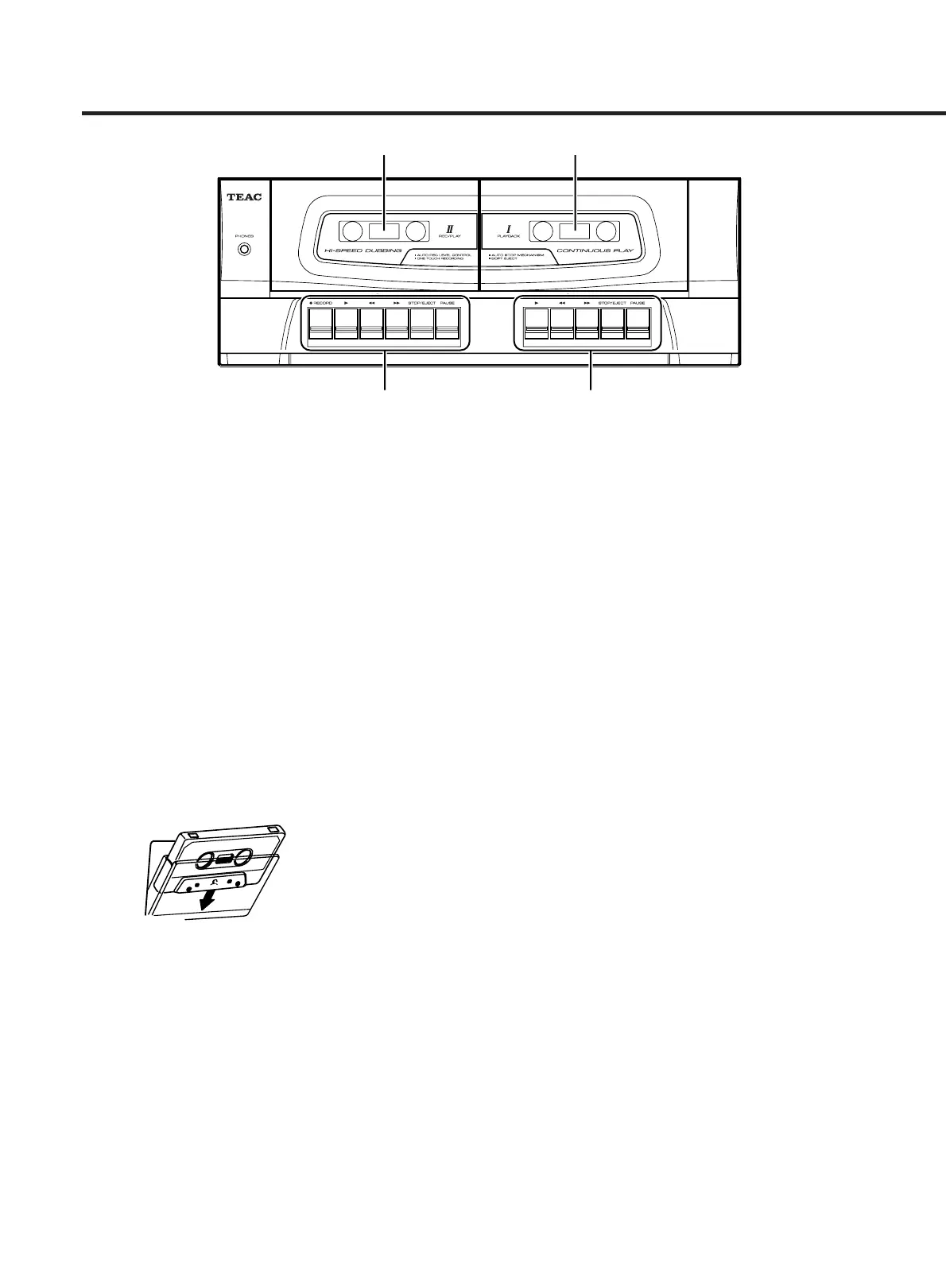
The DC-D2700 has 2 cassette decks; Deck I and Deck II.
Deck I can be used for playback, while Deck II can be
used for recording and playback.
Tape Operation Buttons (PLAYBACK I, REC/PLAY II)
∏ : Play Button
:Rewind Button
Ò :Fast Forward Button
STOP/EJECT Button
PAUSE Button
º :Record Button (REC/PLAY II only)
ª Loading a Cassette
1. Press STOP/EJECT on Deck I or Deck II to open the
corresponding cassette holder.
2. Insert a cassette tape with the open surface facing
downward.
3. Close the cassette holder gently.
Never force the holder to close it.
ª Basic Playback
You can choose either Deck I or Deck II for playback as
you like.
1. Set FUNCTION to TAPE position.
2. Load a cassette tape in Deck I or II.
3. Press PLAY (
Á).
The playback starts.
To stop playback:
Press STOP/EJECT.
To pause playback:
Press PAUSE.
Pressing PAUSE again resumes playback.
ª Continuous Playback
You can enjoy continuous playback of Deck I and II.
1. Set FUNCTION to TAPE position.
2. Load cassette tapes in Deck I and II.
3. Press PLAY (
Á) of Deck I.
The playback starts.
4. Press PAUSE and PLAY (
Á) of the Deck II.
When Deck I stops, Deck II will start playback.
Notes:
… The continuous playback can be done only from Deck
I to Deck II.
… When Deck II stops, the continuous playback ends.


 To Next Page