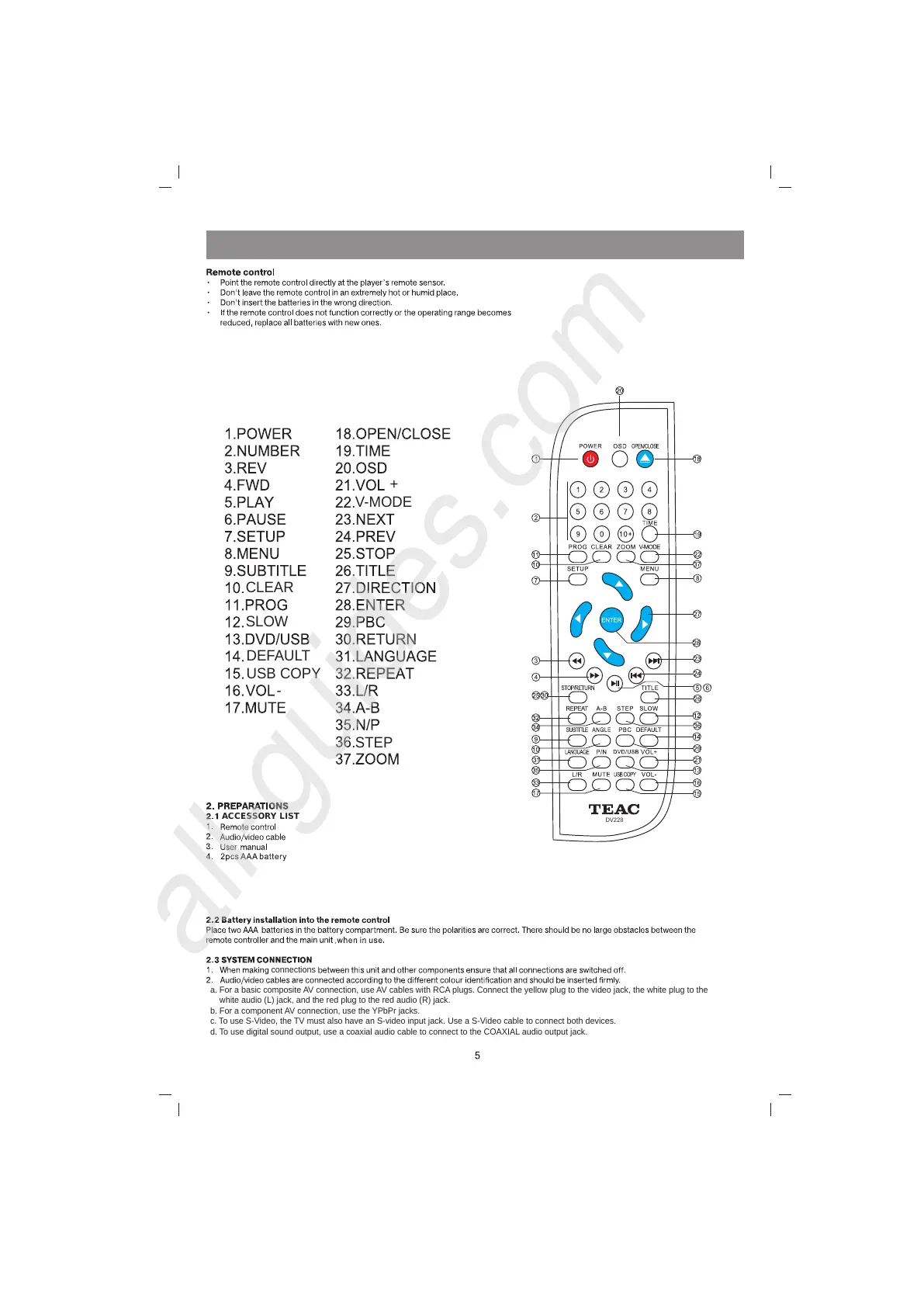
DV228
V-MODE
CLEAR
SLOW
STEP
DEFAULT
USB COPY
-
+
ACCESSORY LIST
connections
a. For a basic composite AV connection, use AV cables with RCA plugs. Connect the yellow plug to the video jack, the white plug to the
white audio (L) jack, and the red plug to the red audio (R) jack.
b. For a component AV connection, use the YPbPr jacks.
c. To use S-Video, the TV must also have an S-video input jack. Use a S-Video cable to connect both devices.
d. To use digital sound output, use a coaxial audio cable to connect to the COAXIAL audio output jack.



 To Next Page