22
You can store FM and AM stations into preset channels 1 to 9
respectively.
1
Tune in a station you want to listen to (see steps
1
to
2
of
page 21).
2
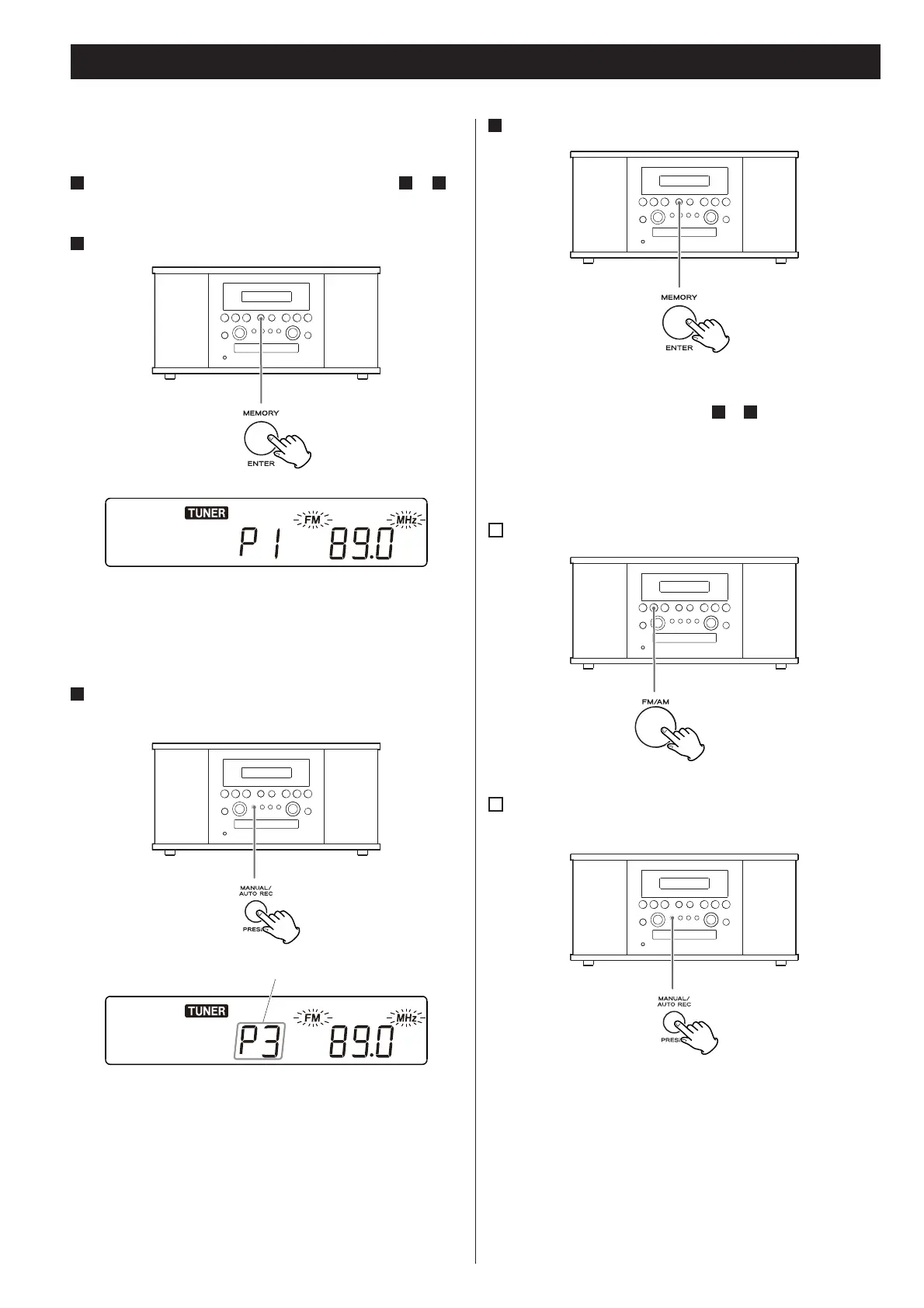
Press the MEMORY button.
“FM” and “MHz” or “AM” and “kHz” start blinking.
< You can tune in another station even after the MEMORY button
has been pressed.
3
Select a preset channel to store the station using the
PRESET button.
preset channel
Preset Tuning
4
Press the MEMORY button.
The station is stored and blinking stops.
To store more stations, repeat steps
1
to
4
.
How to select preset stations
1
Press the FM/AM button to select a band.
2
Press the PRESET button repeatedly until the desired
preset station is found.



 To Next Page