23
ENGLISH
Listening to a Cassette Tape
1
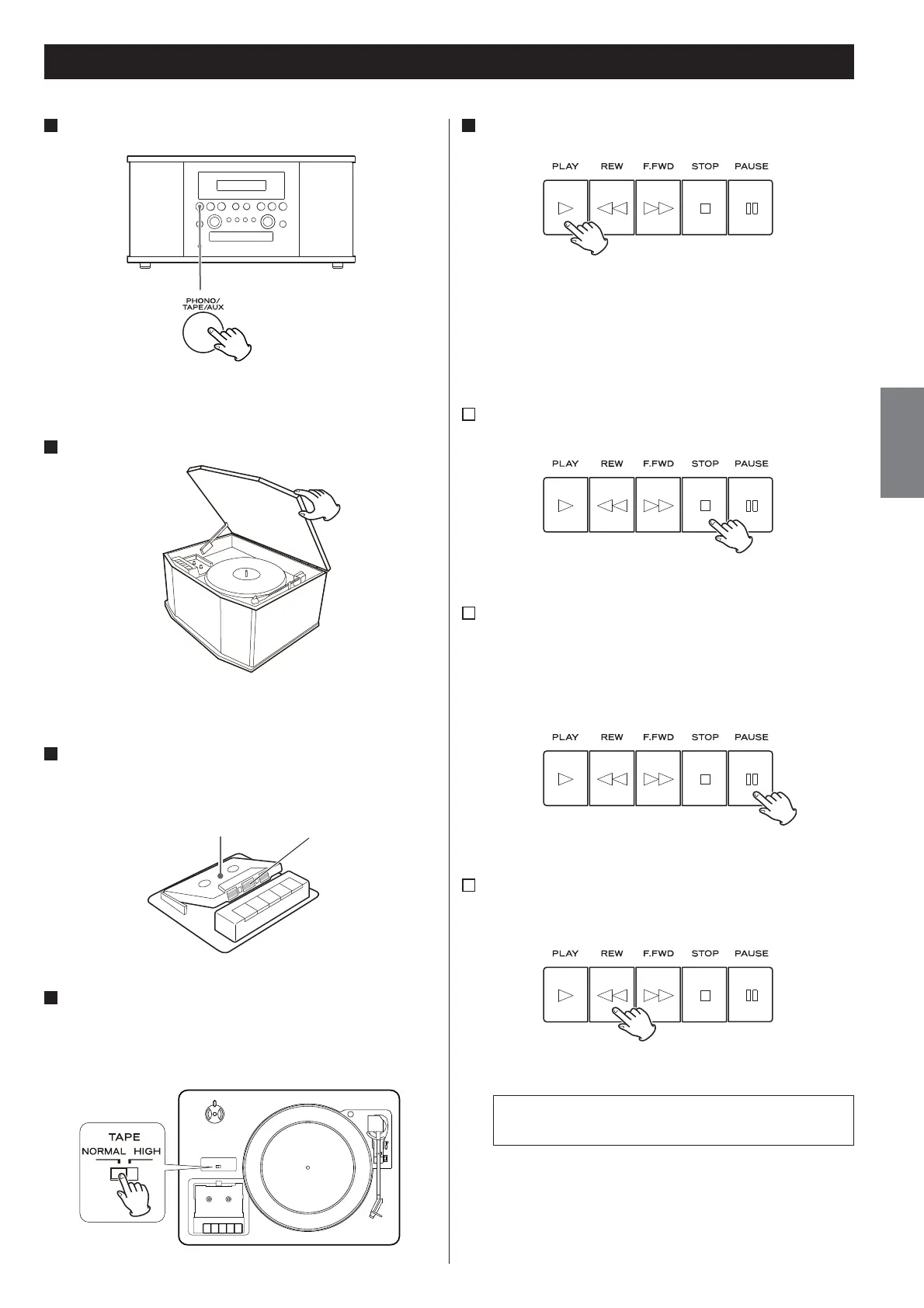
Press the PHONO/TAPE/AUX button once or twice to select
TAPE.
< Each time the PHONO/TAPE/AUX button is pressed, PHONO,
TAPE and AUX (external component) are selected alternatively.
2
Slowly open the cover.
< When opening the cover, pay attention to prevent your hand
from getting caught.
3
Set a recorded cassette tape in the cassette holder.
Set a cassette tape with the exposed tape in front and the side to
play facing up.
Side to play Tape
4
Set the TAPE switch.
When playing a normal tape (type
I
), set the TAPE switch by the
turntable to NORMAL. When playing a chrome tape (type
II
) or
metal tape (type
IV
), set the switch to HIGH.
5
Press the PLAY button (y).
Playback starts.
When the playback of one side finishes, the playback stops. To play
the other side, turn over the cassette tape.
A
To stop playback
Press the STOP button (H) during playback to stop.
B
To pause playback
Press the PAUSE button (J) during playback .
Press the button again to start playback again.
< To enter PAUSE mode at the current position, order of pressing
the PAUSE button first and then pressing the PLAY button is
required in the STOP mode.
C
Fast-forwarding/rewinding
Press the F.FWD or REW button (,/m) to fast-forward or
rewind a tape respectively.
To stop fast-forwarding or rewinding, press the Stop button (H).
Never press the PLAY button (y) and REW button (m) at
the same time.
When a tape is fast-forwarded or rewound to the end, make
sure to press the STOP button (H) to stop the function.



 To Next Page