EasyManua.ls Logo

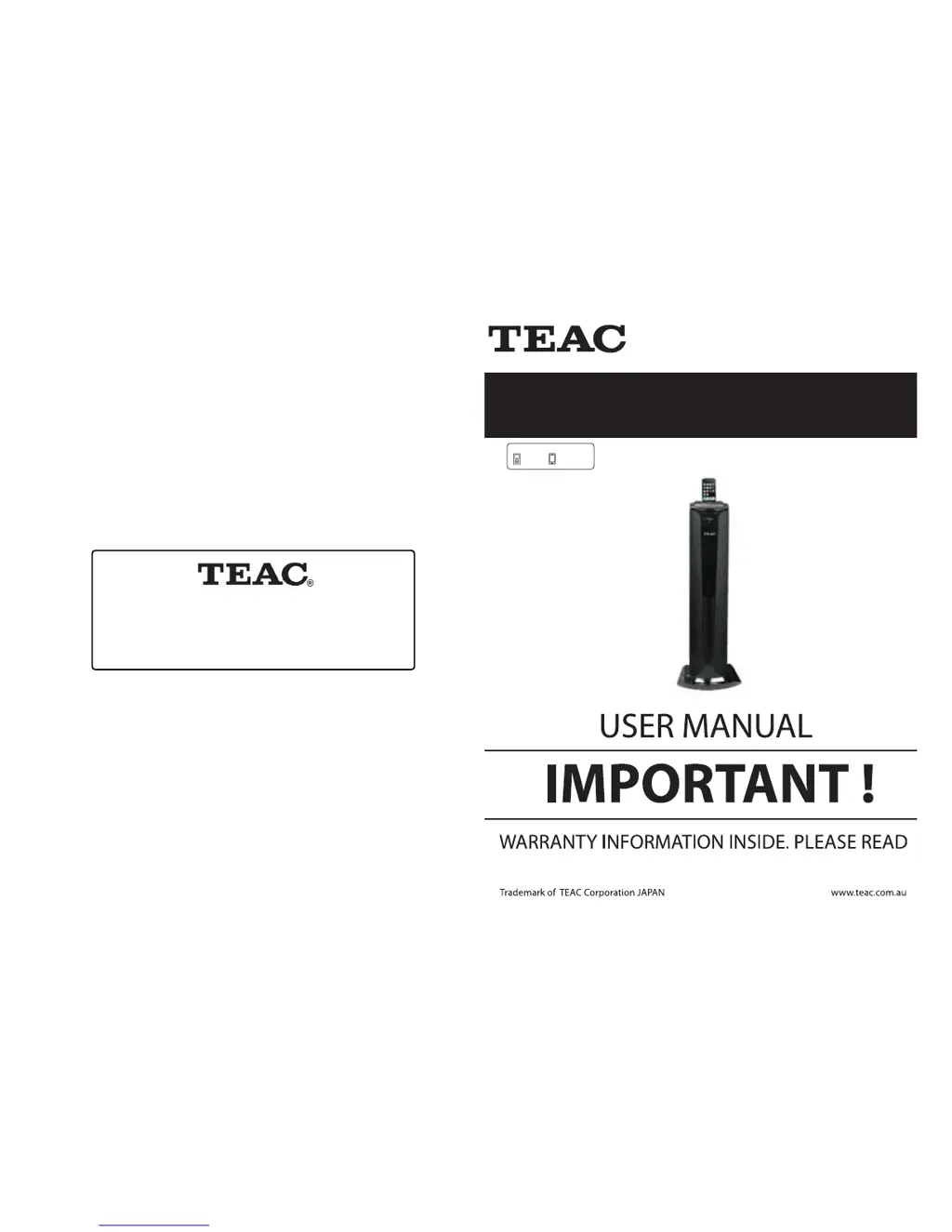
Teac iTB500iP i-TALLBOY - User Manual

Teac iTB500iP i-TALLBOY
10 pages
Print Icon
To Next Page IconTo Next Page
Loading...
iTB500iP
i-TALLBOY
iPod
iPhone
Made for
TEAC CUSTOMER SUPPORT HOTLINE (TCS)
1300 553 315
Between Monday to Friday – AEST 8.30AM to 6PM

Questions and Answers

Summary

USER MANUAL

Warranty Information

Provides crucial warranty details for the product, advising users to read it carefully.

SPECIFICATION

TROUBLE SHOOTING

Power Supply Issues

Troubleshooting steps for when the unit fails to power on.

Audio Output Problems

Steps to diagnose and fix problems related to audio output.

TEAC WARRANTY INFORMATION

Warranty Terms and Conditions

Details the terms and conditions governing the product's warranty coverage.

TEAC WARRANTY PROCEDURE

Warranty Service Steps

Procedure for obtaining warranty service, including contact and required information.

COMPATIBILITY INFORMATION

iPod;iPhone Compatibility

Information on which iPod and iPhone models are compatible with the unit.

RADIO OPERATION

Select Bands

Methods for tuning into FM radio stations, including direct input and band selection.

Save Bands

Steps to save desired FM frequencies for quick access later.

RDS Radio Function

Explanation of how to use the Radio Data System (RDS) for additional broadcast information.

WARNING

Safety Precautions

Essential safety warnings regarding electrical connections, water, heat, and physical handling.

BASIC OPERATION

Listening to iPod;iPhone

Instructions for connecting and playing music from an iPod or iPhone.

BASIC OPERATION

Play, Pause, and Stop Functions

How to control audio playback using the Play/Pause and Stop buttons.

Time Settings

Instructions for setting the current time, alarms, and power on/off timers.

ACCESSORIES

Install Remote Control Battery

Step-by-step guide for inserting batteries into the remote control.

BASE PLATE INSTALLATION

Installation Sketch

Diagrams illustrating the process of attaching the base plate to the unit.

BASIC OPERATION

Standby Mode

How to put the unit into or take it out of standby mode.

Volume Control

Adjusting the bass, treble, subwoofer, and overall volume levels.

VIDEO CONNECTION

Component Video Output

Connecting the unit to a TV using component video (Y, Pb, Pr) for higher quality output.

PANELS

Unit Ports and Controls

Overview of physical ports and controls located on the main unit.

REMOTE CONTROL

Operation Notes

Important notes for effective use of the remote control, including aiming and lighting conditions.

SYSTEM CONNECTION

Connecting Components

Guide to connecting the DVD player, PC, and FM antenna to the unit.

Summary

USER MANUAL

Warranty Information

Provides crucial warranty details for the product, advising users to read it carefully.

SPECIFICATION

TROUBLE SHOOTING

Power Supply Issues

Troubleshooting steps for when the unit fails to power on.

Audio Output Problems

Steps to diagnose and fix problems related to audio output.

TEAC WARRANTY INFORMATION

Warranty Terms and Conditions

Details the terms and conditions governing the product's warranty coverage.

TEAC WARRANTY PROCEDURE

Warranty Service Steps

Procedure for obtaining warranty service, including contact and required information.

COMPATIBILITY INFORMATION

iPod;iPhone Compatibility

Information on which iPod and iPhone models are compatible with the unit.

RADIO OPERATION

Select Bands

Methods for tuning into FM radio stations, including direct input and band selection.

Save Bands

Steps to save desired FM frequencies for quick access later.

RDS Radio Function

Explanation of how to use the Radio Data System (RDS) for additional broadcast information.

WARNING

Safety Precautions

Essential safety warnings regarding electrical connections, water, heat, and physical handling.

BASIC OPERATION

Listening to iPod;iPhone

Instructions for connecting and playing music from an iPod or iPhone.

BASIC OPERATION

Play, Pause, and Stop Functions

How to control audio playback using the Play/Pause and Stop buttons.

Time Settings

Instructions for setting the current time, alarms, and power on/off timers.

ACCESSORIES

Install Remote Control Battery

Step-by-step guide for inserting batteries into the remote control.

BASE PLATE INSTALLATION

Installation Sketch

Diagrams illustrating the process of attaching the base plate to the unit.

BASIC OPERATION

Standby Mode

How to put the unit into or take it out of standby mode.

Volume Control

Adjusting the bass, treble, subwoofer, and overall volume levels.

VIDEO CONNECTION

Component Video Output

Connecting the unit to a TV using component video (Y, Pb, Pr) for higher quality output.

PANELS

Unit Ports and Controls

Overview of physical ports and controls located on the main unit.

REMOTE CONTROL

Operation Notes

Important notes for effective use of the remote control, including aiming and lighting conditions.

SYSTEM CONNECTION

Connecting Components

Guide to connecting the DVD player, PC, and FM antenna to the unit.

Teac iTB500iP i-TALLBOY Specifications

General IconGeneral
BrandTeac
ModeliTB500iP i-TALLBOY
CategoryDocking Speakers
CompatibilityiPod, iPhone
TypeSpeaker Dock
ConnectivityDock connector, Auxiliary input
Inputs3.5mm Aux Input
Power Output20W (10W x 2)