13
Overview of Remote Control
General Description
General Description
External Connection
Basic operationMenu system
instruction
Digital Media Player
Troubleshooting
Picture defects and
the reason
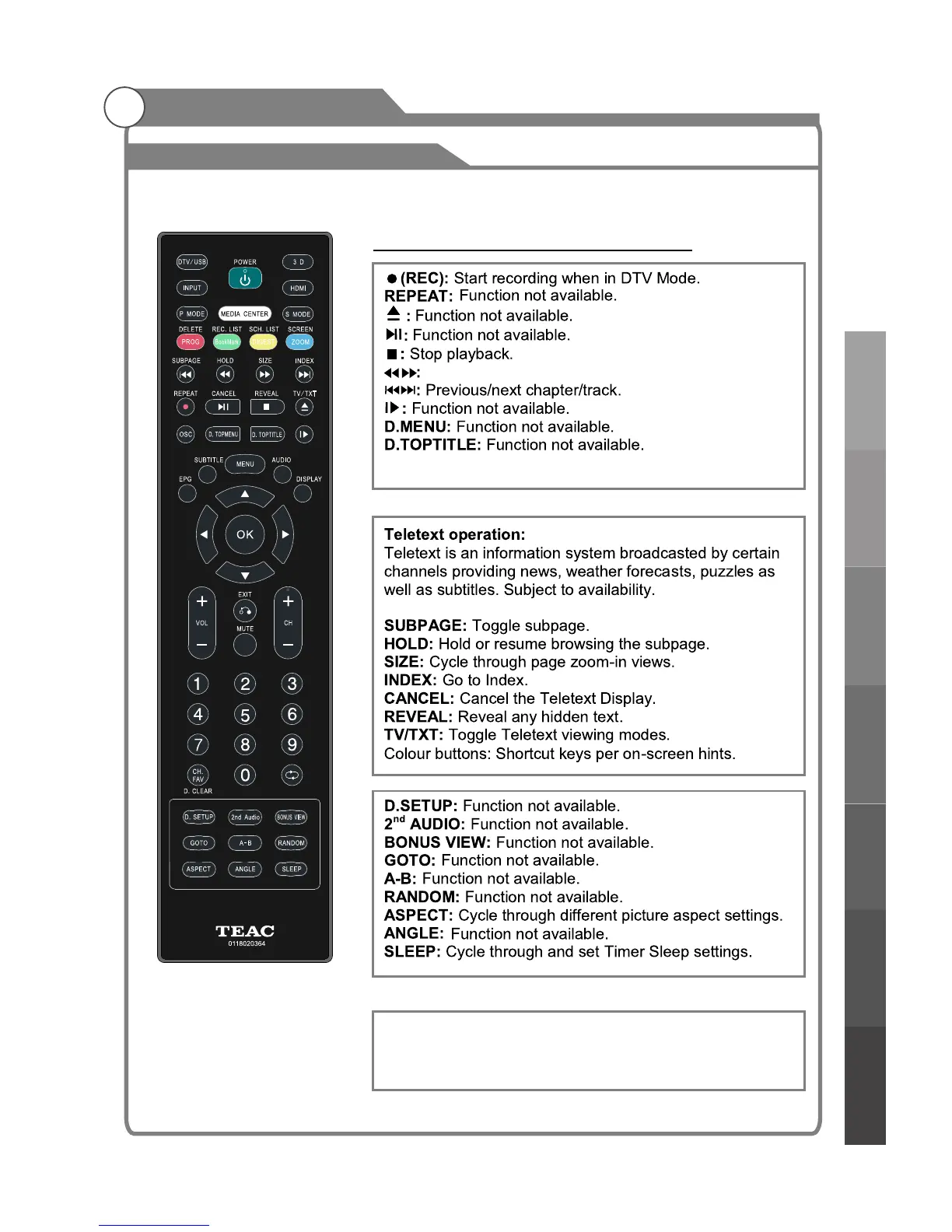
Remote Control Buttons and Functions
Fast Rewind/Fast Forward up to 32x.
OSC: Start/stop virtual mouse.
Viryual mouse (on screen pointer)
OSC:Press to turn on/off the pointer.
▲▼◀▶:Move the pointer on the screen.
OK:Click on the object that the pointer is pointing to.



 To Next Page