28
Adjusting the bass, treble and stereo
balance
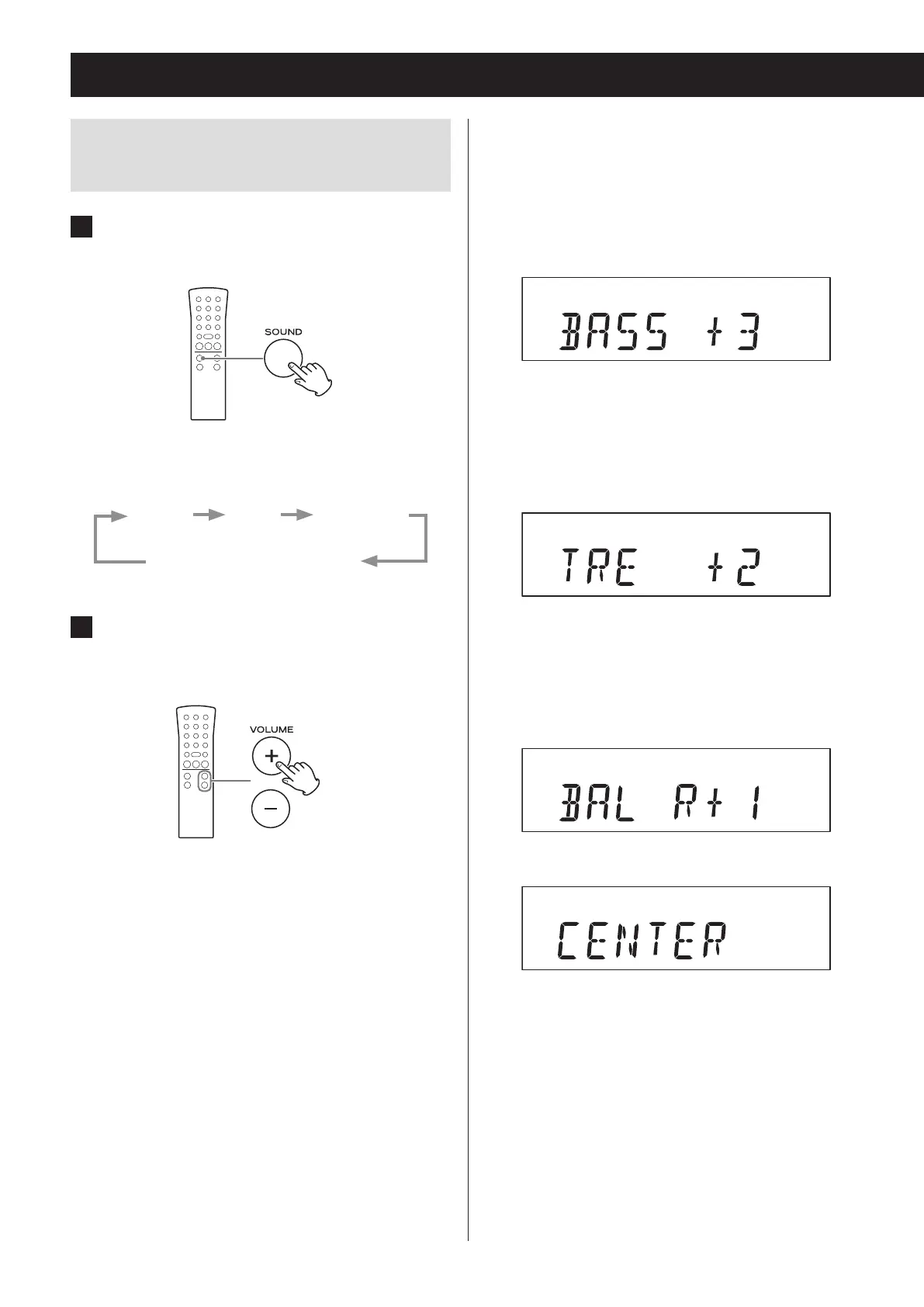
1 Press the SOUND button to select the
item you want to adjust.
Pressing the SOUND button cycles through the
items in the following order.
BASS TREBLE BALANCE
Ordinary display
2 Within three seconds, start using the
VOLUME (+/−) buttons to adjust the
setting.
o If three seconds pass without any adjustment,
the setting mode will end.
Basic operation (continued)
Setting items and ranges
BASS (low frequencies)
Use to adjust the bass.
Setting range: −5 to +5
Default value: 0
Display example
TREBLE (high frequencies)
Use to adjust the treble.
Setting range: −5 to +5
Default value: 0
Display example
BALANCE
Use to adjust the left-right stereo balance.
Setting range: L+10 to R+10
Default value: CENTER
Display example
You should usually leave BALANCE set to CENTER.



 To Next Page