CAUTION
< Turn off the power of all the equipment before making connections.
< Read instructions of each component you intend to use with this unit.
< Be sure to insert each plug securely. To prevent hum and noise, do not bundle the connection cords with the power cord.
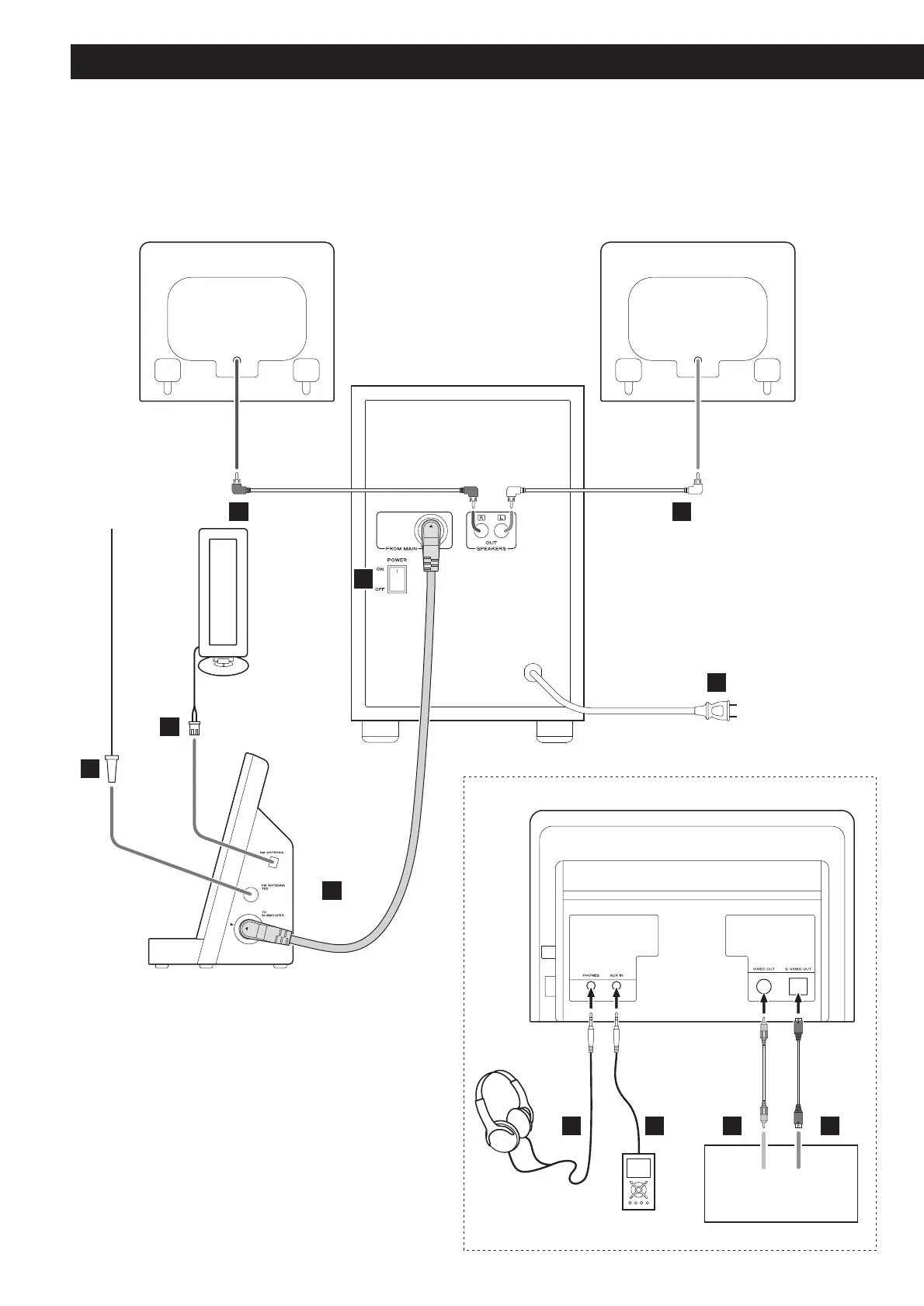
Speaker (R) Speaker (L)
Side panel of the main unit
Subwoofer
TV (monitor)
Rear panel of the main unit



 To Next Page